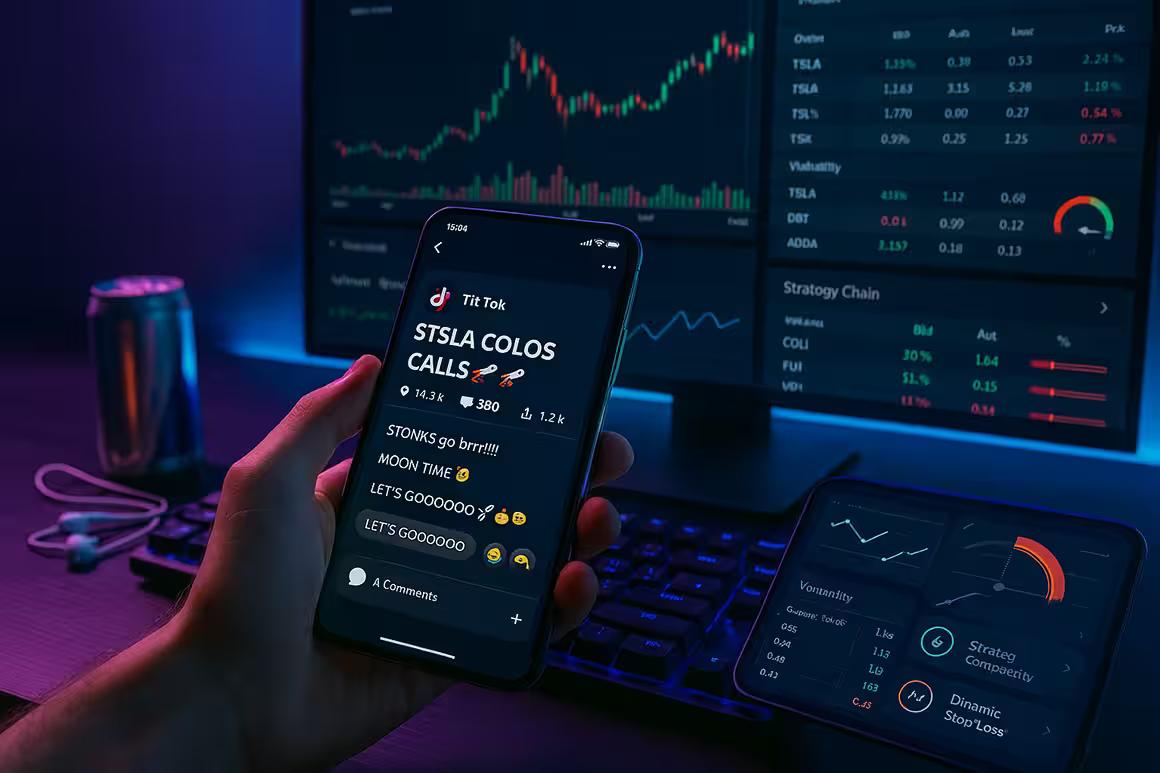

Mobile options trading apps let you trade and invest on the go, no matter where you are! While the desktop computer has its own unique perks when it comes to online trading, mobile trading apps give you the convenience and flexibility of checking your portfolio at any time when you’re away from your home or office! Trading apps are also equipped with helpful learning resources like charting and analysis, automated trading tools, and a wide range of trading options to deliver a dynamic trading experience, all from the convenience of your smartphone, tablet, or other mobile devices!
Our review of mobile options trading apps is designed to point you to the right platforms to get in on the best options opportunities and grow a healthy online portfolio. We’ll review the highlights and best features of the ideal options trading app and then go over three specific platforms that deliver for traders from all backgrounds regarding their asset class and trading experience. In addition, we’ll provide some key insights and tips on using mobile apps to trade options effectively.
You’d be surprised how many traders prefer to do business from their home or work computer in an environment that isn’t subject to significant distractions. We’ll go over the benefits and features of mobile trading apps, but we won’t hesitate to review the downsides of the experience as well—you want to trade in a way that works best for your personal needs, trading goals, and lifestyle!
The Rise of Mobile Trading
Trading was once done on computers, and before that, it was done with buyers and sellers meeting in a physical location to discuss and negotiate prices and exchange securities like stocks, ETFs, or options. How did we get from meeting physically to haggle over the price of buying and selling off securities to doing all this business over mobile devices like phones or tablets? That’s what we’ll discuss in this next section as we look over the history of mobile trading and why it became so popular in the last ten to fifteen years.
Historical Context
Mobile trading began in the early 2000s when brokers and financial institutions began toying with the idea of offering their services to customers through mobile devices, though the technology at the time was still quite primitive compared to today.
The true breakthrough was the invention of the smartphone in the late 2000s and the introduction of app stores. Google Play and the App Store both launched in that 2008-2009 window of time and made it possible for users to access financial markets and instruments from the convenience of their mobile devices.
When the first trading apps appeared on the scene, they were way more stripped down than what’s offered today. In 2026, you can access advanced tools like news feeds, portfolio tracking, or technical indicators, but the first trading apps provided a simple design that included features like charting tools, trade execution instruments, and real-time market data, just enough for traders to get by on the technology available at the time.
In the ensuing years, advances in mobile technology, such as security and overall reliability, drew more traders and investors in—they knew their private data would be kept secure. These nimble mobile apps could keep up with changes in the market as real-time data and analysis improved. The rise of social trading and the increasing ease of accessing trading knowledge from professionals online really helped the growth of mobile trading from 2010 to 2020.
Current Trends
To give you an idea of the growth and popularity of mobile trading apps, look back to 2016, when 29 million retail investors were using them. By 2021, this number had risen to 137 million!
Because they are relatively easy to use, include educational and learning resources, and offer the overall convenience of being able to check your portfolio from any location, mobile apps designed for options trading are continuing to experience strong growth in 2026.
Many apps cater to traders of all skill levels: beginners, intermediate, or highly experienced traders. They typically cover multiple asset classes, which captures the nuances of a possible user base, such as traders with a ton of resources but little experience or experienced traders with limited assets.
Advantages of Mobile Trading
Mobile trading has many advantages that appeal to fast-paced traders and investors who prefer not to go through a traditional stockbroker. In addition to the general convenience of mobile trading apps, you can enjoy instant access to market data and trading opportunities that lead to quicker trades and faster transactions. Let’s recount the main advantages of trading through a mobile app to help you discover if this is the best route for your personal trading experience.
1- Convenience
Mobile trading apps let you trade options from anywhere at any time. You’re not tied down to your home computer or any physical location because mobile apps let you perform your trades and find investment opportunities no matter where you might be—all you need is a reliable internet connection to make it happen!
You can trade options much more cost-effectively because you’re not limited to going through a stockbroker for your trades. The fees on a mobile app are much lower than the commissions or consulting fees from dealing with a stockbroker. Trade on your time and terms without going through a middleman who will significantly increase your overhead.
Another element of the convenience factor in mobile trading is the general accessibility to trading opportunities. Not only can traders access the market at any time with their smartphone or tablet while on the go, but they can also find a wide range of trades like stocks, bonds, ETFs, etc. They can easily track their investments and manage their affairs through app alerts and automated trading functions that help them never miss out on any action.
2- Real-Time Access
The user-friendly design of these platforms makes it possible to access diverse market data and trading opportunities instantly. Traders can get updated market data, significant news about the markets, and price alerts whenever needed to make the best possible trading decisions they can. Many apps let investors or traders use detailed charts, fundamental analysis, or technical indicators to make decisions!
Due to the helpfulness of real-time access, traders can enjoy a faster trading experience through a robust automated system where they can place orders and sell options quickly. Transactions happen much quicker using these mobile trading apps, where traders and investments occur instantaneously, unlike a traditional stockbroker, where everything is done manually.
Key Features of Mobile Trading Apps
What are the prime characteristics of a quality mobile trading app? We looked at seven critical details that any suitable trading or broker app should have as a part of its overall design and business model. If your prospective trading app lacks any of these features, it might be a good sign to find a different platform. However, if the app you’re considering ticks all these boxes, you’ll run into minimal problems and enjoy a terrific online trading experience.
User-Friendly Interface

The best mobile trading apps are designed so that new and experienced traders alike can learn to use the system fairly quickly. All menus and tabs are well-organized, which aids in successful navigation and helps traders find the features and functions they’re looking for, such as account types, investment choices, prices, and commissions/rates/fees.
Because online trading can become busy during peak business hours, like right after the market opens and an hour before it closes, traders need a well-designed dynamic app to find what they’re looking for and execute their trades efficiently. Otherwise, they can miss out on good value and investment opportunities!
Perhaps less importantly, the user-friendly design of these trading apps also includes a short sign-up process (minus the time it takes the online broker to verify and approve your new account), easy access to the customer support center, and good mobile app handling where glitches, errors, or lagging is either non-existent or kept to a minimum.
Real-Time Market Data
To stay on top of significant changes when trading online, our favorite trading apps have their own unique take on real-time market data tools. Anyone trading or making online investments using options trading apps can gauge the trajectory of a traded security or see where other investors are finding success through these practical tools. The features and functions will vary from one app to the next, but most of the major players are using the following features and functions in one form or another.
- Live Stock Quotes: These allow traders to view the highest bid and lowest ask prices on any security they find online. Stock quotes typically show the number of shares available for trading at both bid and ask prices. There’s also a “last trade” field where investors or traders can view the price the security was sitting at when the last trade was executed.
- Volume Traded: You can discover the number of shares or contracts exchanged during trading hours on any given day between buyers and sellers of a particular security. When traders know the trade volume during a set period, they can accurately gauge the market’s activity and liquidity.
- Market Indices: A market index tracks the performance of certain groups of bonds, stocks, and other investments. These investments are usually centered around a particular industry or grouped into particular areas of the stock market, such as the Dow Jones, S&P 500, or the NASDAQ.
- Market News: Many trading apps will give customers access to significant market news and other information to carefully tailor their current strategy and approach for the day. A good habit that seasoned traders get into with their morning routine is checking market news overseas to see how it might possibly affect the US market.
- Charts: Traders can access various stock charts to help guide their decision-making. Line charts capture historical price action, connecting each closing price within each specified time interval. They’re used to gauge historical and current trajectories. Candlestick and bar charts are used to discover how bearish or bullish the market might be based on the opening price levels versus the closing price. Point and figure charts are also helpful to traders and capture upward or downward trends on security, stock, or bond.
Advanced Order Types
Any good trading app should have several options for order types. Thanks to useful automated systems, these commands help traders set up trading moves where they don’t have to perform every step manually. They guarantee that orders go through smoothly, at the right time, and for the right amount!
Here are several examples of the most common order types that you’ll find in online trading:
- Market: Buy or sell shares immediately at the current market price.
- Market-On-Open: An order that’s executed at the day’s opening price. It must provide the first printed price of the day.
- Market-On-Close: A non-limit order where traders execute as near the closing price as possible after the market closes.
- Limit: An order to buy or sell a stock with a restriction on the maximum price to be paid or the minimum cost to be received. These are also known as buy limits and sell limits.
- Limit-On-Open: A type of limit order to buy or sell shares at the market open if the market price meets the limit’s conditions.
- Limit-On-Close: A type of order where traders buy or sell securities at the closing price.
- Stop: Also known as a “stop-loss” order, this is an order to buy or sell a stock once the stock price reaches a certain amount (the stop price).
- Stop Limit: This is a conditional order type investors and traders use to manage risk. It helps to lock in profits and limit losses by combining the features of a stop and a limit order.
Portfolio Management
Portfolio management is the practice of analyzing, choosing, and monitoring a group of assets like cash, bonds, stocks, options, or ETFs to achieve financial goals. Helpful dividend calendars are key in keeping you in the loop on corporate actions related to your stock trades and notifying you of upcoming payments, but there are several other portfolio management tools that are worth noting as well.
Most of our favorite trading apps come with portfolio management tools to help traders track personal performance and plan future financial moves. Trading apps typically come with a dashboard where traders can check their portfolio’s total composition and how it performs. The app will link all your accounts and use real-time data to give you a complete summary of your activity and account balance.
Trading apps are usually outfitted with tracking and planning features, which outline your current strategy and give helpful suggestions on how to tweak your future choices so you can experience portfolio growth. Traders can access charting, research resources, and asset allocation to see where they currently sit and how they can plan for the future—a key feature is the retirement planner/calculator that lets you track your progress toward your personal goals for your golden years.
Alerts and Notifications
Online traders can customize alerts for price movements, news updates, and trade executions so they aren’t glued to their phones or tablets to monitor everything that comes up. A prime example of leveraging these alerts and notifications to your advantage is setting them up to capture prime information like significant price changes or percentage changes on options, the exponential moving average, or the 52-week high/low.
Alerts and notifications can be beneficial for part-time traders who hold down regular jobs or newer traders who are still learning the business’s tricks and need some structure to keep on top of trading opportunities and successfully execute significant trades when the time is right!
Research and Analysis Tools
Another critical feature of good trading apps is solid research and analysis tools. These tools allow traders to analyze their current portfolio and any risks associated with their current options, stocks, or bonds. Research reports and indicators are also dynamic tools for online trading apps, helping users find the best opportunities the market offers.
- News, Research, or Knowledge: You’ll typically find these resources at the top of the main menu on any trading app. You can access timely news on products or topics that interest you. Most of these reading environments are ad-free and include discounted research subscriptions to help you stay on top of significant market changes or updates affecting your trading strategies.
- Strategy Builder: Many trading platforms online will let their users create and explore common strategies with their option selections. Some apps let traders build multi-leg option strategies to discover which choices for their portfolio could be the most lucrative options.
- Risk Navigator: Knowing what kind of risks come with the options, bonds, or stock you choose to include in your online portfolio can show the places where you might be most vulnerable. You can often manage risk in real-time in various markets worldwide using option trading apps’ risk navigation tools. Investors and traders alike can determine their risk exposure across multiple asset classes.
- Volatility Gauges: Discover past and future stock volatility readings using tools that measure the volatility of any given stock or option. This can help you find about, to an extent, the amount of risk that comes with any trading opportunity you seize. Volatility gauges are helpful, too, for getting statistics on industry peers and broad market measures.
- Options Analytics: Options traders will enjoy visualizing changes in an option’s price relative to unit changes in Greek values. This tool is included with nearly all trading apps that offer options trading as part of their investment choices.
- Neutral Option Market Strategies: If you want to learn the positive or negative effects of short straddles or strangles on your profits and losses, then you’ll be happy to know that most trading apps are outfitted with the neutral option market strategy tool for your convenience!
Security Features
In online trading, you’re using your personal money to build and develop a dynamic online portfolio, plus you’re sharing some personal information about yourself when you create and register a new account, so it’s only natural that the best trading apps are using the best security features the market offers to ensure that your private data is kept completely safe and confidential.
- A highly secure, encrypted connection ensures that any private data shared between traders and the trading app is converted into a secret code to hide its true meaning from any third party that attempts to hack the connection. The trading app and its users are the only two parties that know about the private data and what it includes. To anyone else, it’s a scrambled mess, keeping this information completely private!
- Two-factor identification is an extra security layer to prevent third parties from accessing traders’ personal accounts. After entering their login information, users are asked to send the trading app a confirmation code through their phone. This second step makes it nearly impossible for someone with unauthorized access to get into someone else’s account from a different device.
- Some trading apps use biometric authentication, where the user’s identity is verified using technologies like fingerprinting or facial recognition. This might not be the case with all broker apps, but it’s becoming increasingly available and provides an even more impenetrable layer of protection for customers.
Top Mobile Apps for Options Trading in 2026
Let’s review the three best mobile apps for robust options trading. Each platform has its own unique approach and special features for successful options trading and clean order execution.
App Reviews
Anyone interested in testing these trading apps out can download the app and register for free—there aren’t any deposit minimums or minimum balance requirements when you first sign up! So, even though we’re getting ready to review these platforms and find out how well they cater to online options trading, we encourage you to use the free demo accounts to learn more about how these apps work and if they’d be a suitable match for your trading goals!
Interactive Brokers

Interactive Brokers is a terrific multinational broker app with some of the lowest transaction costs on its options, EFTs, stocks, and bonds. With a handy all-in-one mobile app and website, IB allows individuals and institutions to execute trades and investments worldwide. It’s an excellent option for casual and advanced traders alike, but there’s a specific focus on day trading and international investing. The best offerings are the margin accounts and options trading. Couple this with excellent research and data tools, and you will have one of the best mobile options and trading apps on the market!
Features
- Low-cost margin accounts
- Best price execution due to competitive commissions and financing rates
- Options portfolio
- Account protection (firewall, encrypted connection, two-factor authentication, etc.)
- Fractional shares trading
- 24/7 support
- Short securities available
- Excellent trading tools: news, charting, analytics, trading across multiple asset classes, etc.
Pros
- Low Transaction Costs: Interactive Brokers offers lower overhead and minimal operating costs and fees. You can also enjoy commission-free stocks, options, or ETFs, and there’s no account minimum requirement.
- Lite and Pro: It doesn’t matter where your experience or skill level lies because Interactive Brokers has multiple versions. These different formats cater to traders or investors at various skill/experience levels. If you’re newer to the trading game, you should use Lite, while Pro is designed for seasoned or experienced traders.
- Free Trial Account: If you want to use a demo version of an Interactive Brokers account, you can do so to get some practice on how to execute trades or investments on the platform. Once familiar, you can start trading for real, but with much more confidence!
- Free Educational Resources: Many IB resources let you grow in your learning and continually improve your portfolio’s performance. These include the IBKR blog, webinars, podcasts, trader’s glossary, and Trader’s Insight and Academy.
- Caters to Individual and Institutional Traders: You can enjoy versions of IB catering to individual trading and investment and use International Brokers as a business or institution going through a specialized business account!
- Caters to Multiple Asset Classes: When signing up for a new account with International Brokers, you’ll be asked about your net worth and income so IB can make their best recommendation as to which version of the app is best for you. Use the Interactive Brokers version that best matches your resources.
- Portfolio Builder: Use this helpful tool to improve your portfolio’s performance continually. IB will suggest the best trades and investments to help you build a winning strategy that works!
- International Trading: Interactive Brokers is well known for its international trading opportunities as it’s available in over 40 countries across the globe. Users can invest and trade options, stocks, or EFTs worldwide and commission-free!
Cons
- Lackluster Customer Service: While Interactive Brokers offers a robust FAQ menu in the online help center, many users have complained that traditional customer service options like emailing and toll-free phone calls deliver mixed results. Some claim that it’s difficult to get someone to talk to, despite IB’s claims that their support center is available 24/7.
- Information-Dense App: Because Interactive Brokers offers so many account types, trading/investment options, and multiple asset classes, the website and mobile app can contain a ton of information. This can make the experience intimidating to new users or those who aren’t super familiar with online trading.
- Not the Best for Beginners: Interactive Brokers offers plenty of education resources and teaching to anyone who needs it, and the app claims to cater to newbie traders. Plus, there are a few versions available to cater to various skill levels and asset classes. Despite this, Interactive Brokers isn’t the best overall option for new or inexperienced traders. There are better platforms out there that offer a more intuitive user experience and have better educational resources for newbies.
User Experience
Interactive Brokers gets an aggregated score of 3.3/5 stars at Trustpilot based on 2,793 reviews, while ConsumerAffairs has a 1.2/5 star rating with only 38 reviews.
Trustpilot Review—Dated August 11, 2024“Terrible service – avoid!! Terrible service. They have blocked my account for no reason and can’t reset password. I call wait many minutes, they can’t get me access. Finally I get access and then a week later account is blocked. No reason given have to go through the same process. Customer service not polite or helpful.”
-Max Hertan
Trustpilot Review—Dated August 5, 2024“Outdated, restrictive platform that prevents you to withdraw your money, terrible customer service—The platform keeps logging you out and not allowing you to work in multiple tabs like some terminal from the 80s. It’s not possible to withdraw to a Revolut Bank UAB account, it always fails their validity check, even if you provide correct IBAN, BIC/SWIFT and even Correspondent BIC. They keep saying it hasn’t passed a validity check and their “client services” communicate like robots, unwilling to help you with the issue. Have kept my money locked since 2 years ago.”
-Michal S.
Trustpilot Review—Dated July 24, 2024“Fabulous trading platform. Professional content well organized. It may take some time to get used to it. I am sure I only use a fraction of what is available for information, but that changes over the life of an investor. Especially well done is the year-end reporting for the IRS. One can just do a print out and submit it to the accountant. I am with IB now for more than 20 years and have always been happy.”
-Klaus Radebold
ConsumerAffairs Review—Dated April 5, 2024“It is a wonder that they are still in business. I have closed my account with over 100K. Even though I have been investing for over 45 years I was told I could not buy OTC and other stocks, Really? You are restricting and limiting what I can buy? I have never had a brokerage firm tell me that before. Once you do run into issues, good luck trying to get your money out of their hands. Customer service is a joke, I have spent hours a day on hold with them and they were never able to answer a single question. Pathetic!”
-James (Brunswick, GA)
ConsumerAffairs Review—Dated June 1, 2023“Today, it took four (4) hours to complete a simple task on the website. The site kept freezing and I had to redo the same form numerous times to submit. Then, when it was finally submitted, there was no confirmation. I only found out it was submitted after I called the company three times. The first two employees could not answer my questions. I do not recommend Interactive Brokers because of the weak website and, more importantly, the weak customer service. Both Fidelity and Vanguard are more responsive with a little more knowledgeable staff and with better websites. Even my small local bank has more efficient staff and a better website. When you have this experience, you do wonder if your money is safe there.”
-Marc (Sterling, VA)
tastytrade

tastytrade is one of the best options for dynamic futures and options trading, which caters well to traders across all asset classes and experiential backgrounds. The app is well-suited, especially for active and day traders interested in short-term performance on their portfolio’s securities. Enjoy low trading costs, including commission-free trades on stocks, options, and ETFs.
Features
- Commission-free options, stocks, and ETFs
- Fractional shares available
- Crypto Investing
- Account types include individual, joint, traditional IRA, Roth IRA, SEPA IRA, corporate, and trust accounts
- Minimum Deposit and Minimum Balance Requirement: $0
- No maintenance fees
- Caters to Android and iOS users
Pros
- Great for Active Trading: tastytrade is best suited for traders and investors looking for more significant returns and willing to risk more money to achieve their goals. You should use tastytrade if you’re day trading or trading based on each security’s short-term performance such as scalping or swing trading.
- Low Trading Fees: You’re dealing with much lower fees and commission using tastytrade as your trading app of choice. Options, stocks, and ETFs can be opened at tastytrade for $0. Smalls take $0.25 to open, futures take $1.25 to open, and micro futures take $0.85 to open.
- Educational Materials: tastytrade has several helpful educational resources under the “Learn” tab on the main menu. At the top of the page, you’ll find multiple trading strategy articles, informative videos on options strategy, and dynamic guides highlighting bull and bear markets. You can also request to sit in on a live demo to get a feel for how the app works as a whole!
- Many Trade/Investment Options: There are plenty of ways traders and investors can get in on the action at tastytrade. Options, stocks, and ETFs are available for commission-free trading, but tastytrade also offers cryptos, futures, and options on futures. You can also invest in or trade traditional commodities like corn, oil, gold, soybeans, or natural gas.
Cons
- Limited Deposits/Withdrawal Options: Compared to other trading apps, tastytrade doesn’t feature a wide range of deposit or payout options for users who need to move money in and out of their online accounts.
- No Demo Account: Unfortunately, tastytrade doesn’t offer paper or simulated trading where you can test strategies to prove their effectiveness. Without a demo account, you must execute trades and investments for real and take your chances.
- Limited Trading Tools: All around, tastytrade has limited trading tools and options. We’ve already established that there’s no demo account, plus tastytrade isn’t the best app to use if your focus is on international trading or investment. The same goes for mutual funds and bonds, which aren’t options featured on the tastytrade app. The crypto options are also limited compared to other competitors.
User Experience
For customer feedback on tastytrade, we consulted Trustpilot, where we found the site rated quite favorably based on an aggregated score of 4.3/5 stars. It’s based on 461 total reviews, and we really like the comments and feedback we found from those who have used tastytrade.
Trustpilot Review–Dated July 24, 2024“Support team is second-to-none—Support team is second-to-none. Lightning fast responses, with clear and complete answers. Had some issues understanding margin requirements surrounding Futures Sweeps and Daytrade Margin Calls, and Stephen took the time to go back-and-forth with me a few times to make sure I understood everything. Can’t recommend enough!”
-Jim
Trustpilot Review—Dated June 11, 2024“Phenomenal platform for options and…Phenomenal platform for options and futures trading. All the key information needed for making trades is presented on one page making it efficient and simple to use. I’ve previously used IBKR and there is no comparison in terms of efficient presentation of information. The ‘Follow’ page enables you copy trades made by professionals with one click when learning how to trade. The team are always available to explain and help with the trades. Support is amazing – the team are always there to walk you through resolving any issue on the spot and available to help with making trades.”
-Dilip de Silva
Trustpilot Review—Dated February 26, 2024“Very Arrogant customer service—Promotion offer tempted me. But not worth. you will have too much frustration from locked up with no reason to log in and 7th new password creation . Agents over the phone are not friendly, lack of ownership, very stiff . This company are not customer centered in business.”
-Suk
Webull

Webull is a great trading app for active traders who don’t subscribe to the buy-and-hold strategy of trading securities and instead seek hefty returns based on short-term performance. Like most trading apps, you’ll find commission-free options, ETFs, and stock choices, but you can also get in on futures trading and open margin or fixed income accounts. Pair these impressive trading opportunities with excellent educational materials, real-time market data, and an intuitive website/mobile app, and you have a dynamic trading app that works well for traders from various skill and asset backgrounds.
Features
- Commission-free trading
- Access Webull on your phone, tablet, or desktop computer
- Real-time market data and analysis
- Stocker screener
- “Paper trading” for beginners
- Trade pre-market (4-9:30 AM EST) and after-market (4-8 PM)
- Place your orders using hotkeys
- Level 2 Quotes
- National Best Bid and Offer
Pros
- Two Free Stocks: Newcomers to Webull can get two free stocks courtesy of Webull just by registering for a new account. Because no money was involved in getting these stocks, new traders can use this as an opportunity to demo the app without any risk!
- User-Friendly Design: Anyone using Webull will enjoy the user-friendly design that makes app navigation and trade execution as easy as one-two-three. Everything is well organized in its appropriate section: products, pricing, platforms, market, support, and hub. You can easily find what you’re looking for and snag opportunities as soon as they come up without much lag or delay.
- Plenty of Trading and Investment Options: In addition to standard stocks, options, and ETFs, Webeull also offers margin trading, over-the-counter trades, and fractional shares. On the investment side, users can utilize IRAs for their golden years prep, recurring investments, fixed income on US Treasuries, and cash management.
- High Interest Rate on Uninvested Cash: You can earn 5% on uninvested cash using Webull!
- No Minimum Deposits or Platform Fees: Depositing money at Webull is an easy process that involves no deposit minimums! Webull is also notable for commission-free stocks, ETFs, and options where traders can enjoy the bulk of trading opportunities with any platform fees!
- Multiple Trading Markets: Trade in the United States, China, Hong Kong, and ASX with Webull. It’s an excellent option for traders wanting to take action overseas in other foreign markets.
- Trading Simulator: Try your hand at trading with Webull using paper trading. Here, you can run multiple strategies and simulations before using the app for real. After some practice rounds, you can introduce your money and trade more confidently.
- Cryptocurrency Trading: Webull offers its users 8 cryptos, including Bitcoin, Dogecoin, Shiba Inu, Ethereum, Ethereum Classic, Litecoin, Bitcoin Cash, Ethereum, and USD Coin.
Cons
- Limited Trading and Investment Offerings: Webull is notable for not offering forex, mutual funds, or bonds on its platform. Open-end mutual funds and fixed income aren’t available either. Despite the upsides of using Webull, you’re better off with another trading app for these opportunities.
- Limited Options Trading: Webull doesn’t offer options trading in the Australian markets, which limits its activity. It’s an app designed for good options trading in the United States and several other international markets.
- Limited Educational Resources: Webull isn’t the best option for traders with limited experience because the app doesn’t feature many resources to educate newer users.
- Subpar Customer Service: Many of Webull’s customers complain that the service and support center are difficult to reach. There’s no live chat available, and the email or phone lines aren’t always known for being the quickest in terms of response times. There’s a good FAQ menu in the help center, but we’d like to see at least one good method for making direct contact with Webull when problems arise.
- Separate App for Crypto Trading: While Webull technically offers crypto trading, it’s only accessible via a separate app. While it’s nice that the app offers something, having it on a separate platform makes the crypto trading experience less than ideal.
User Experience
Let’s look at current and former users’ views about the Webull trading app. Most online feedback can be found at Trustpilot, where Webull has an aggregate rating of 1.5/5 stars. For more customer insights, read this Reddit thread as well.
Trustpilot Review—Dated May 23, 2020“Tried a Dozen Brokers—I’ve tried a dozen services/online brokers and very happy with Webull, Not perfect yet but seems they have everything needed to be a decent retail trader. Well above Robinhood services especially when it comes to the news links. Really astonishing what they offer considering it’s free basic trading in cash account and margin account. Having a margin account lets you trade more than your availability as well as do sell orders, options is also available. And with 25k minimum you can trade all day if you like no issues.”
-Jeremy Pellicano
Trustpilot Review—Dated June 18, 2024“Get out of here you lowlifes—Get out of here you lowlifes! I’ve been more stressed than a long-tailed cat in a room full of rocking chairs, and they’ve been playing mind games like it’s their job. After wasting months with them, I’ve got nothing to show for it. if I were you, I’d steer clear to avoid that whole mess. now i’m riding high with echelonis elitus, they’ve been straight-up saving me from this dumpster fire.”
-Jerome Dwyer
Trustpilot Review—Dated June 1, 2024“I loved Webull at first—I loved Webull at first. Was smooth, user friendly, easy to use. Then you started telling me my bank account wasn’t compatible. Then you told me my other checking account wasn’t compatible either. Tried again a year later with an entirely different checking account, and guess what? You won’t accept that one either. So your service is now useless to me. What’s the point? Way to lose a customer.”
-Matt W.
Comparison Table
The reviews above reveal a wealth of information about our favorite options trading apps, but how do they compare to one another? We’ve outlined several comparison tables below addressing topics such as trading fees, account fees, investment options, order types, stock app features, chart features, and trading platforms to help you better understand how these three apps differ.
Use these tables to determine which options trading app will best suit your personal online trading goals and preferences.
Trading Fees
Trading Fees | tastytrade | Webull | Interactive Brokers |
|---|---|---|---|
Minimum Deposit | $0.00 | $0.00 | $0.00 |
Stock Trades | $0.00 | $0.00 | $0.00 |
Penny Stocks | N/A | N/A | $0.00 |
Mutual Fund Fee | N/A | N/A | $14.95 |
Options (Per Contract) | $0.50 | $0.00 | $0.65 |
Futures (Per Contract) | $1.25 | $1.25 | $0.85 |
Broker Assisted Trade Fee | $0.00 | N/A | $30.00 |
Account Fees
Account Fees | tastytrade | Webull | Interactive Brokers |
|---|---|---|---|
IRA Annual Fee | $0.00 | $0.00 | $0.00 |
IRA Closure Fee | $60.00 | $0.00 | $0.00 |
Account Transfer Out (Partial) | $75.00 | $75.00 | $0.00 |
Account Transfer Out (Full) | $75.00 | $75.00 | $0.00 |
Options Exercise Fee | $5.00 | $0.00 | $0.00 |
Options Assignment Fee | $5.00 | $1.25 | $0.00 |
Investment Options
Investment Options | tastytrade | Webull | Interactive Brokers |
|---|---|---|---|
Stock Trading | Yes | Yes | Yes |
Margin Trading | Yes | Yes | Yes |
Fractional Shares | Yes | Yes | Yes |
OTC Stocks | No | Yes | Yes |
Options Trading | Yes | Yes | Yes |
Complex Options Max Legs | 4 | 4 | 4 |
Futures Trading | Yes | Yes | Yes |
Forex Trading | No | No | Yes |
Crypto Trading | Yes | Yes | Yes |
Crypto Trading- Total Coins | 4 | 44 | 4 |
Mutual Funds (No Load) | 0 | 0 | 10,988 |
Bonds (US Treasury) | No | No | Yes |
Bonds (Corporate) | No | No | Yes |
Bonds (Municipal) | No | No | Yes |
Traditional IRAs | Yes | Yes | Yes |
Roth IRAs | Yes | Yes | Yes |
Advisory Services | No | No | No |
Order Types
Order Types | tastytrade | Webull | Interactive Brokers |
|---|---|---|---|
Market | Yes | Yes | Yes |
Limit | Yes | Yes | Yes |
After Hours | Yes | Yes | Yes |
Stop | Yes | Yes | Yes |
Trailing Stop | No | Yes | Yes |
One Cancels the Other | Yes | Yes | Yes |
One Triggers the Other | Yes | Yes | Yes |
Broker Assisted | Yes | Yes | Yes |
Stock App Features
Stock App Features | tastytrade | Webull | Interactive Brokers |
|---|---|---|---|
Market Movers (Top Gainers) | Yes | Yes | Yes |
Stream Live TV | No | No | Yes |
Videos on Demand | No | No | Yes |
Stock Alerts | No | Yes | Yes |
Option Chains Viewable | Yes | Yes | Yes |
Watch List (Real Time) | Yes | Yes | Yes |
Watch List (Streaming) | Yes | Yes | Yes |
Watch Lists-Create and Manage | Yes | Yes | Yes |
Watch Lists-Column Customization | Yes | No | Yes |
Stock App Charting
Stock App Charting | tastytrade | Webull | Interactive Brokers |
|---|---|---|---|
After-Hours | Yes | Yes | Yes |
Can Turn Horizontally | Yes | Yes | Yes |
Multiple Time Frames | Yes | Yes | Yes |
Technical Studies | 0 | 56 | 97 |
Study Customization | No | Yes | Yes |
Stock Comparisons | No | Yes | No |
Trading Platforms
Trading Platforms | tastytrade | Webull | Interactive Brokers |
|---|---|---|---|
Active Trading Platform | tastytrade | N/A | Trader Workstation (TWS) |
Desktop Trading Platform | Yes | Yes | Yes |
Desktop Platform (Mac) | Yes | Yes | Yes |
Web Trading Platform | Yes | Yes | Yes |
Paper Trading | No | Yes | Yes |
Trade Journal | No | No | Yes |
Watch Lists (Total Fields) | 33 | 35 | 659 |
Chart Features
Chart Features | tastytrade | Webull | Interactive Brokers |
|---|---|---|---|
Adjust Trades on Chart | Yes | Yes | Yes |
Indicators/Studies | 308 | 52 | 155 |
Drawing Tools | 31 | 19 | 85 |
Notes | Yes | Yes | Yes |
Index Overlays | Yes | Yes | Yes |
Historical Trades | Yes | Yes | Yes |
Corporate Events | Yes | Yes | Yes |
Custom Data Range | No | No | Yes |
Custom Time Bars | No | No | Yes |
Automated Analysis | No | Yes | Yes |
Save Profiles | Yes | Yes | Yes |
Technical Analysis | No | No | Yes |
Study Customizations | 7 | 2 | 6 |
Custom Studies | Yes | Yes | Yes |
Tips for Effective Mobile Options Trading
Becoming an effective force in options trading requires a unique blend of staying in the loop on major market news, being willing to take risks when needed, and using demo accounts to test out new strategies and techniques before putting your money at risk. In a way, it’s all about good balance and timing, but there’s also an element of discipline that’s key to attaining success with trading securities.
Follow these tips to enjoy an exciting, competitive options trading experience:
Stay Informed
The best online traders are on top of the significant goings-on in the market. Keep up on stocks, bonds, ETFs, and other securities by getting your news from various sources like new sites, tickers, or aggregators. Staying in the loop can keep you informed on the state of the stock market (if it’s bullish or bearish), and you can get a good idea of the trajectory of the securities you have in your current portfolio.
Stay on top of market news and trends by following these helpful sources:
- News Websites: Many online news sources, such as the BBC, New York Times, or CNN, have a financial section where you can get an idea of market trends in the United States and abroad. News aggregators, like Google News or specialized online blogs about the stock market, are also super helpful.
- Tickers: Many professional online traders like to passively monitor big news headlines by installing a ticker program to their computer or mobile device that runs along the bottom of the screen, similar to a ticker on a new network broadcast. You can click the ticker to get to the leading news site for the full article on any specific event you select.
- Social Media: You can follow companies or trading experts on social media platforms like YouTube, X, or Facebook to glean insights on specific industries, markets, or securities. You can get any important news from companies you’ve invested in and follow the advice of experts in the industry to guide your portfolio decisions.
- Podcasts: Access long-form content from trading or investment experts to learn general trading principles or get a pulse on where the market currently stands. Podcasts help you get a daily or weekly summary of events that can help inform long-term or short-term investment and trading strategies.
Utilize Alerts
You can set up alerts where you get your news to stay on top of any breaking news or events that might affect your trades or security picks. This makes it easier to keep in the loop on things that could drastically affect the quality of your portfolio.
Follow these steps to set up and use alerts effectively to stay on top of market movements:
- Enter the name of the stock, bond, or security on which you want to receive notifications.
- Enter the types of events that you’d like to be alerted about (investor activity, price change, etc.).
- Set up how often you’d like to be notified, such as daily, weekly, or in real-time.
- Click “Save” to officially put this alert into place. You’ll be notified of these significant changes when they occur!
Practice with Demo Accounts
Another way to enjoy a practical mobile options trading experience is to account for our favorite options trading apps! You can form a trading strategy and test it out using the paper or simulated trading tools available. This lets you try out different approaches without putting your money at risk.
Unfortunately, tastytrade doesn’t feature demo accounts, which is in line with its branding as a trading app geared toward competitive, short-term options trading for experienced traders. If you’re interested in running different strategies to practice, we highly recommend checking out Interactive Brokers or Webull.
Risk Management
Another key to effective options trading is using innovative strategies for managing risk while trading on the go. These include obvious moves like calculating your expected return, planning your trades, and setting up automated orders like take-profit or stop-loss to avoid obvious missteps. Let’s highlight some of the best ways to navigate your trade decisions and minimize risk with your portfolio.
- Plan Your Trades: Know what price you’re willing to pay and what you’re willing to sell at before you begin trading. Also, be sure to use a trading app that works best for the asset class you fall within and the types of trading or investments you’re interested in, including in your portfolio.
- Expected Return: Calculating your expected return will force you to think through and rationalize each trading decision. It’s an excellent process for systematically comparing all available trades and selecting the most profitable choices.
- Stop-Loss and Take-Profit: These automated orders are great tools for traders who might be tempted to hold onto a security for longer than they should because they feel it might bounce back. These tools can effectively minimize losses and help traders make steady gains when the timing is right!
- Use the 1% Rule: Don’t put more than 1% of your capital into a single trade. This comes easily if your portfolio is diversified—you never have too much of a single iron in a single fire. Not only does this method help you minimize risk, but it also forces you to branch out into multiple trades or investments, an ideal place that any investor wants to be.
- Diversify Your Portfolio: Focusing on just a few trades can set you up for big losses, so it’s important to branch your capital out into multiple trades and investments to spread your eggs into multiple baskets. For best results, diversify your investments across industry sectors, market capitalization, and geographic regions.
Battery and Connectivity
To ensure that your device is always prepared for your next trading session, make sure that your battery is charged and ready to go! Also, make sure you’re in a place with a stable internet connection to avoid the app crashing or experiencing any lags or downtime.
Common Challenges and How to Overcome Them
Though mobile trading apps allow traders and investors to keep up with their portfolios and execute orders on the hottest daily trades, these platforms come with plenty of problems. In some ways, they are a complete game-changer; in other instances, they are far from ideal for specific traders. Let’s go over some of the most common challenges of online trading apps and the best ways to overcome these roadblocks.
Connectivity Issues

One of the biggest challenges of trading online from your smartphone or tablet is issues with your internet connection, which can interfere with timely trading and order execution. If you’re experiencing problems with your internet connection and it could jeopardize your trading activities, we’d advise you to try the following things to get back on track:
- Check the trading app’s status page to determine if they have a platform-wide issue.
- Check your internet connection.
- Check your device for possible updates to improve performance.
- Restart your device to improve slow performance, possibly.
- Identify and connect to all available internet connections (if you’re in a public place with multiple choices)
Screen Size Limitations
While using a smartphone or tablet for online trading can provide an ultra-convenient on-the-go experience, some significant challenges come with the limited screen size, especially that of the phone. The smaller screen of a tablet or smartphone can become a hindrance when you’re trying to analyze information on charts; you could make a mistake using the smaller keyboard to execute your orders and trades.
While the desktop computer keeps you from trading on the go, the larger screen lets you quickly spread out and view charts and other analysis resources. You can stay more on top of your portfolio and market news without straining your eyes or dealing with different environments or distractions from trading on your phone.
Security Concerns
To trade securely on your phone, tablet, or another mobile device, there are many steps you can take to minimize potential threats and experience the fun of online trading without worrying about your personal or financial data being put in jeopardy.
Use the following tips to secure your trading experience, regardless of the mobile devices you’re using:
- Use a robust and secure password. Avoid reusing passwords from other online accounts you have with other sites.
- If it’s offered, use biometrics in addition to your regular username and password. This will increase the strength and effectiveness of your current security wall.
- Use two-factor authentication, which requires you to enter a security code in addition to your regular login credentials (username and password).
- Update your software and apps regularly. Following these app updates, security patches are fixed, and bugs are worked out of the system, providing you with a fresh, up-to-date security blanket!
- Always use secure WiFi connections that are password-protected and encrypted.
- Consider using a VPN (virtual privacy network), which encrypts your internet traffic and hides your IP address. This deters hackers from viewing your online activities and confidential information/private data.
- Backup your settings and important data in the event that your device is hacked, damaged, or stolen. Use iCloud, Google Drive, or Dropbox to make a copy of the files and other things that are important to you so they aren’t put at risk.
App Crashes and Bugs
Dealing with technical issues on a trading app can be as easy as talking with other users in online forums or chat rooms about their experiences with these problems. It’s also helpful to provide detailed reports to the app about crashes or unstable system operations so they are kept informed and can offer help or support via the customer service center.
However, to ensure smooth trading, you may not always have the time to chat about issues with customer support or other users online, so troubleshooting the problem on your own can come in and save you some time! A helpful way to get back up and running quickly is to perform the following steps:
- Try to force quit the app.
- Clear app cache.
- Restart your mobile device and try again.
- Update the app or do a fresh install of the app. You’ll be running on the latest version of the app, eliminating most bugs.
- Update your Android/iOS to the latest available version.
While this isn’t a sure thing in every situation, many online traders have used it to great success when dealing with technical issues such as bugs and the app completely crashing.
Use the Right App for Effective Options Trading
Trading options online via your mobile device can be preferable to trading on your desktop computer due to real-time access and the overall convenience of accessing your portfolio on the go. However, a mobile app can accommodate your personal trading experience to succeed in online options trading, and the asset class is critical. It also offers trading tools and opportunities to grow and achieve your goals.
Remember to choose a mobile trading app that has the following:
- A user-friendly, intuitive design to make the process easy, and lets you execute trades quickly and efficiently.
- Real-time market data, including a wide range of charts, market news, and live stock quotes.
- Advanced order types that manage risk and opportunities via automated commands.
- Portfolio management materials and research/analysis tools that show where the strengths and weaknesses are in your trades or investments.
- Alerts and notifications alert you to significant changes in the market, so you never miss an opportunity to make appropriate moves or decisions for the health of your online portfolio.
- Good security features enable you to get in and out of your account securely and keep your private data safe from third parties.
We’d encourage you to try our favorite mobile trading apps and integrate them into your trading routines: Interactive Brokers, Webull, and tastytrade. Each of these apps is free to download, and no minimum deposit balance is required to get started! Two of the three offer demo accounts or free stocks that let you test out strategies or techniques ahead of time before making your real trades. It gives you some nice leeway before risking any of your money. Remember to stay informed on market news, manage risk with alerts and automated commands, and keep your devices charged up and connected to the internet.
We encourage you to share your own experiences with mobile options trading in the comments section so we can better understand the general experiences that our readers have had with these options trading platforms!