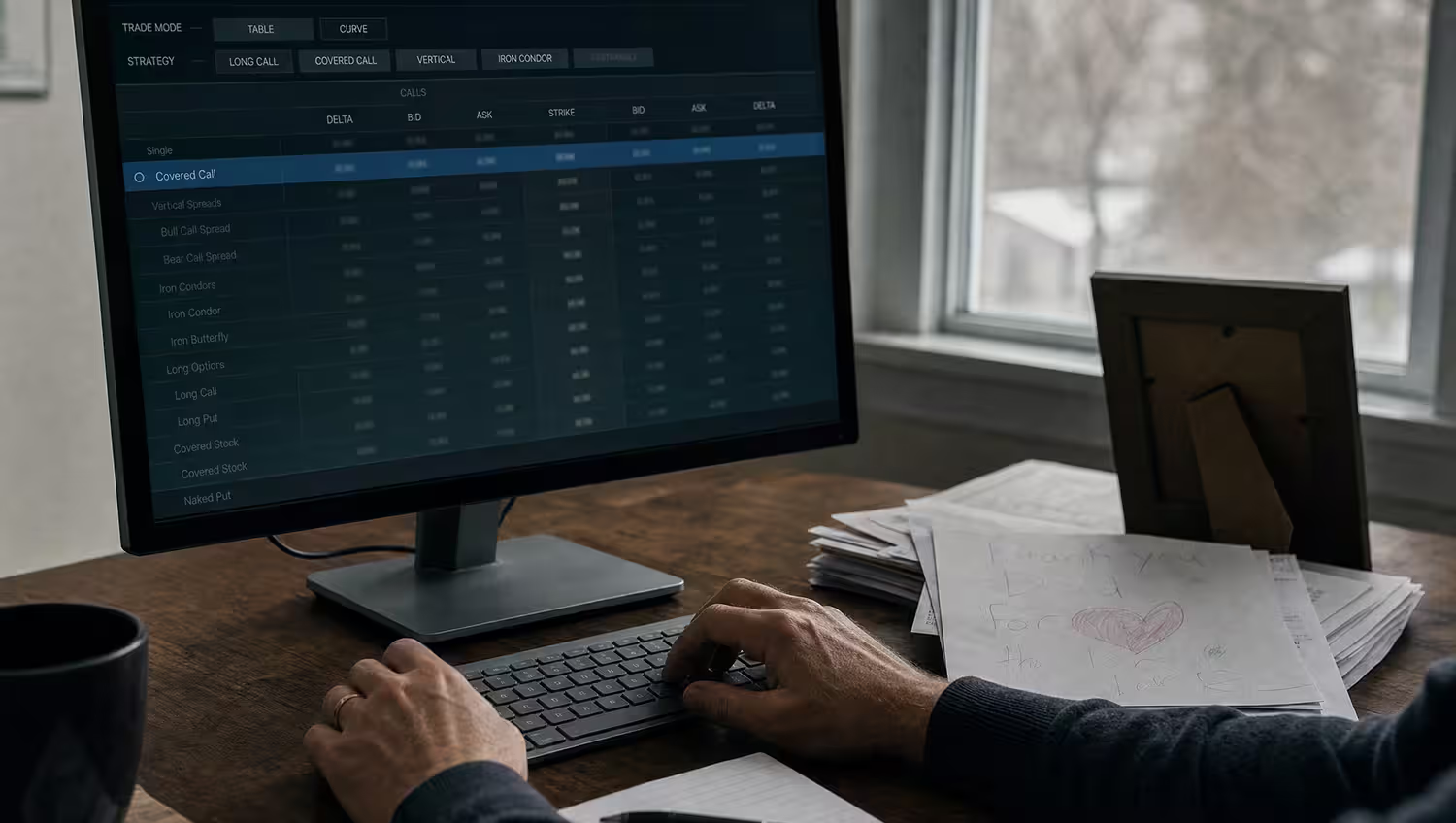

Would you buy a car without going for a test drive? Hopefully not! Well, the same applies to options trading. It’s how you can practice before you do it so that you aren’t taking any financial risks before you actually know what you’re doing.
It’s a test drive but for the stock market. You can experiment, make mistakes, and learn without losing any money. So if you’re a brand new trader or you’ve been around the stock market block a few times but want to hone your skills, paper trading gives you a safe space to practice.
Now, there are some platforms that make it easier and give you all of the tools you need so that you’re able to learn at your own speed while trying out strategies. And then there are others that have all of the bells and whistles that closely mimic live trading that you might forget you’re just practicing.
If you want to know which type is right for you, this is your lucky day! We are spotlighting the best platforms that are worth your time—the most reliable and user-friendly brokerage accounts for paper trading in 2026. From more advanced tools for the pros to beginner-friendly platforms, we’ll tell you what makes each one shine and how you can pick the one that best fits with your trading goals!
What Is Paper Trading?
Paper trading is a way that people can practice trading in a totally simulated environment—users can buy and sell stocks, options, or other assets, but you’re using virtual money in real-market conditions. This makes it possible to experiment with different strategies and learn how the markets work without jeopardizing actual money.
Who Benefits from Paper Trading?
Who should use paper trading? Anyone! But it’s usually most beneficial for beginners who are just beginning to learn the ABCs of stock or options trading. It is also a super valuable tool for experienced traders who want to try out a few new strategies or poke around unfamiliar markets without any financial danger.
What to Look for in a Paper Trading Platform
The best paper trading platforms all closely replicate live trading, so the most important features to consider are the following: real-time market data, user-friendly interfaces, comprehensive analytics tools, and, of course, affordability. Some platforms even have advanced functionalities, which makes them ideal for experienced traders who want a hyper-realistic practice experience.
Why Choosing the Right Platform Matters
The platform that you practice on? Well, that matters more than you think. Why? Because it can strongly influence how ready you’ll be when you eventually move to live trading. A well-designed tool not only gives you a safe environment to try strategies—it also helps you build more confidence and hone those trading instincts. If you use a clunky or unrealistic platform, it will slow down your progress and probably make your trading education feel like it’s homework that you don’t want to do.
Ease of use should always be a top priority. A platform that has a straightforward design lets you concentrate on refining your skills instead of wasting a lot of time trying to figure out how to get around the platform and actually use it. Accessibility matters, too—you’ll want a platform that works just as well on a laptop at home or using a mobile app while you’re out and about!
Realism is what separates the good tools from the mediocre ones. Platforms that have real-time market data, realistic order execution, and advanced features give you a much more accurate sense of live trading. And this type of practice will make sure that you’re prepped and ready to handle the dynamics of the real market!
Top 5 Brokerage Accounts for Paper Trading
Paper trading is (and always has been) a must-have tool for traders at every level, but not all platforms handle it the same way. Some go the extra mile with realistic simulations and easy-to-use tools, and others are wanting in certain areas. To separate the wheat from the chaff, we’ve rounded up the five platforms that get it right. From beginner-friendly setups to more advanced features for experienced traders, the following are the brokerage accounts that deserve your attention!
Interactive Brokers (IBKR)

Interactive Brokers is the go-to trusted choice for traders who prioritize accuracy and access to professional-level tools. Its paper trading platform is designed to provide a near-real trading experience, which makes it a super valuable resource for refining trading strategies!
Paper Trading Features
The platform’s Trader Workstation (TWS) is an absolute powerhouse for practicing trades. It has real-time market data and advanced charting capabilities, and it supports a host of assets, including stocks, options, and forex. TWS lets users experiment with all kinds of strategies in a highly detailed, customizable environment, so it is an exceptional choice for those who want the most comprehensive practice tools.
Pros
- It offers an exceptionally realistic simulation, which is perfect for preparing to trade in live markets.
- It’s loaded with advanced analytical tools that help traders evaluate their performance and strategies.
- Easily connects with live trading accounts, which guarantees a seamless transition from practice to real trades.
Cons
- The platform’s complexity might feel a little intimidating for newbies.
- Beginners may find the more advanced features will take time to understand and master.
Who It’s Best For
Interactive Brokers is really well-suited for traders with experience or those who are eager to educate themselves about the more advanced strategies. It’s particularly effective for anyone who is looking to fine-tune their approach in options trading or multi-asset portfolios!
Webull

Webull is a really great entry point for anyone who is exploring trading—it’s a clean and modern platform that won’t overwhelm users. Designed with beginners and casual traders in mind, it’s a super approachable way to try stock and options trading but still manages to keep it engaging with community-driven features.
Paper Trading Features
Because it has unlimited paper trading access, Webull gives users real-time market data to experiment with strategies without endangering their own funds. What makes it more than just another ho-hum trading app is its competitive streak—there are trading contests and challenges that make things fun and create a nice sense of community among users!
Pros
- Completely free: No deposits or payments are required to access the paper trading tools, making it accessible for everyone.
- Beginner-friendly design: The simple, intuitive interface means that even first-time users can start experimenting without feeling lost at sea.
- Interactive community features: Trading contests and challenges add a little excitement, and users can try their skills in a friendly, competitive environment.
Cons
- Limited advanced tools: The platform lacks the in-depth analytics and advanced charting features that more experienced traders might want or need.
- Not ideal for complex strategies: If you’re focusing on highly detailed or technical strategies, you’ll probably find the platform’s simplicity to be limiting.
Who It’s Best For
The relaxed pace makes Webull great for beginners or casual traders who want to practice in a straightforward, low-pressure environment. If your goal is to grasp the basics of trading, experiment with simple strategies, or like the social side of trading through contests, Webull is a good pick. But as we noted above, the more experienced traders who want advanced tools will probably want to use another platform.
Charles Schwab

Charles Schwab is a household name in trading, and it’s known for its balanced platform that caters to both beginners and experienced traders. It has a combo of powerful trading tools with a strong emphasis on education, and that makes it a well-rounded choice for anyone who is looking to expand their skills while they are practicing strategies in a realistic environment!
Paper Trading Features
Schwab’s paper trading option is available via its StreetSmart Edge platform, which is a feature-heavy tool that’s designed to echo real market conditions. Users have access to advanced options trading tools so that they are able to fine-tune their strategies with precision. What makes Schwab different is its integration with a host of educational resources. There are webinars, tutorials, and in-depth guides, so it offers so much more than just practice—it’s a platform for growing and learning.
Pros
- Extensive educational support: Schwab’s library of resources goes a long way in helping users to expand their market knowledge alongside practicing trades.
- Strong options tools: StreetSmart Edge gives users powerful tools for those who are looking to get serious about options trading.
- Customizable interface: Traders can adjust the platform to meet their needs, and that makes it equally effective for beginners and experienced users.
Cons
- Account setup required: You’ll need to create a Schwab account to access paper trading, which is an extra step compared to other competitors.
- Could be overwhelming for first-timers: While it is feature-packed, the platform can look and feel really complicated for those who are brand new to trading.
Who It’s Best For
Charles Schwab is an excellent choice for the traders who want both functionality and education all in one convenient spot. It’s really well-suited for those who want to go deeper into options trading or anyone who is looking to sharpen their skills with the help of detailed resources. If you’re willing to create an account to unlock the full experience, Schwab has a well-rounded approach to paper trading and market learning.
E*TRADE

You probably know about E*TRADE if you’ve ever watched TV, even if you aren’t a trader. This platform’s ads are iconic commercials that have babies talking about trading, which cleverly makes trading feel approachable and less intimidating—because if a toddler can do it, so can you! Staying true to its branding, the platform is a straightforward, beginner-friendly place that also provides advanced features for those who are ready to level up. It’s a platform that welcomes traders who are at any stage of their trading, and it combines simplicity with lots of room to develop skills.
Paper Trading Features
E*TRADE’s paper trading is powered by the really versatile Power E*TRADE platform, with a realistic simulation of market conditions, complete with customizable charts, tools for strategy building, and the ability to practice with various options and contracts. Whether you’re taking your first baby steps or working on a more advanced approach, the platform makes practicing feel really intuitive.
Pros
- Beginner-friendly setup: Made with simplicity in mind, the interface is really easy to navigate, even for first-timers.
- Advanced tools included: For traders who are ready to move past the basics, the platform has features to explore and practice more intricate strategies.
- Smooth transition to live trading: The familiarity of the platform guarantees an effortless switch from practicing to real trades.
Cons
- Account required: You’ll have to sign up with E*TRADE to access the paper trading tools, which might not appeal to those who just want to try out paper trading.
Who It’s Best For
E*TRADE is best for beginners and intermediate traders who want to cultivate their skills in a supportive, easy-to-use environment. Its combo of simplicity and advanced tools makes it a great option for those who are looking to move from learning the basics to live trading. And yes, if you’ve ever “awww’d” at their babies trading commercials, the platform truly does live up to its approachable rep.
TradeStation

TradeStation has long been a favorite with active traders and technical analysis fans, as it has an arsenal of powerful tools that can handle even the most complex trading strategies. While it’s full of advanced features, its paper trading capabilities make it an excellent platform for those who want to practice and polish their trading techniques without taking a chance with real money.
Paper Trading Features
TradeStation gives users access to its entire suite of trading tools in simulation mode, which allows you to experience the full depth of its capabilities. Real-time data means that your practice trades reflect the current market conditions, and advanced charting and options analytics help you test even the most intricate strategies. A big highlight is how easily the platform transitions from paper trading to live trading—everything you practice can be directly applied when you feel like you are ready to go live!
Pros
- Top-tier analytical tools: TradeStation has industry-leading features for technical analysis, which includes detailed charts, studies, and options analytics.
- Customizable setup: The platform lets users tailor the interface to their preferences, and that makes it a more personalized trading experience.
- Realistic practice environment: The simulation mirrors real markets, so it’s an ideal space for testing out strategies before committing real money.
Cons
- Costs for inactivity: Some of the features come with monthly fees unless you’re actively trading, which could be a downside for the more casual users.
- Steeper learning curve: Beginners may find the platform to be a little intense because of the huge l range of tools and settings.
Who It’s Best For
TradeStation is a perfect fit for advanced traders and anyone who is really invested in technical analysis. If you’ve been searching high and low for a platform that has professional-grade tools, detailed customization, and a practice environment that feels like the real thing, TradeStation is hard to beat. It’s particularly ideal for those who do their best with data-driven decision-making and want to perfect their strategies before transitioning into live markets.
How to Get Started with Paper Trading on These Platforms
If you feel like you’re ready to try your hand at paper trading, setting it all up isn’t hard at all! All five platforms differ, but they’re not too far apart in sign-up methods. Below, we’ll walk you through how to open an account and access paper trading on each platform, including any specific requirements or limitations you’ll need to keep in mind. Let’s get you set up!
Interactive Brokers (IBKR)
If you’re going with IBKR, the following steps are what you need to do:
- Go to the IBKR website and create an account.
- Choose the paper trading account option during registration or enable it within your account settings if you already have a live account.
- Download the Trader Workstation (TWS) platform to access the paper trading features.
- Log in and switch to your simulated account to begin trading.
Requirements/Limitations
- You’ll have to set up a funded account first, but you don’t need to trade with real money to access paper trading.
- The platform might feel overwhelming for beginners due to its complexity.
Webull
For Webull, here’s what you need to do to get set up with an account:
- Download the Webull app or visit the desktop platform.
- Register for a free account—there’s no deposit required!
- Once you’re logged in, find the paper trading feature on the dashboard or through the menu.
- Start practicing with real-time market data and participate in trading contests if you want to.
Requirements/Limitations
- Webull does not require account funding for paper trading, which makes it great for beginners.
- Advanced traders will probably find that the tools are too limiting for any kind of in-depth strategy testing.
Charles Schwab
How to get started with Charles Schwab:
- Open an account with Charles Schwab on their website.
- Download the StreetSmart Edge platform and log in with your Schwab credentials.
- Enable the paper trading mode in the platform settings.
- Access all the tools and resources to simulate trades and test your strategies.
Requirements/Limitations
- You have to create a Schwab account to use the paper trading feature.
- Beginners may find the interface slightly more complex because of its feature-heavy design.
E*TRADE
You went with E*TRADE because of the baby ads, didn’t you? No matter why you picked it, here’s how to get going:
- Create an account with E*TRADE on their website or mobile app.
- Log in and navigate to the Power E*TRADE platform.
- Enable paper trading mode via the platform settings.
- Begin testing strategies with customizable tools and real-time data.
Requirements/Limitations
- Paper trading is only available to E*TRADE account holders, which means you have to create an account first.
- Some of the advanced tools may be better suited for intermediate traders.
TradeStation
And finally, if TradeStation is your jam, follow the steps listed below:
- Register for an account with TradeStation on their website.
- Log in and download the TradeStation platform.
- Enable simulation mode to access the full range of trading tools.
- Start practicing with real-time data and advanced charting tools.
Requirements/Limitations
- An account is required to access paper trading, and there are monthly fees for some features if you’re not actively trading.
- The platform’s complexity makes it better suited for the more experienced traders.
Comparing the Platforms
Picking the right paper trading platform for you all depends on your experience level, trading goals, and the tools that you need to succeed! Below is a side-by-side comparison of the main features, costs, usability, and strengths of all five platforms to help you decide which one will work best for you.
Platform | Cost | Usability | Tools | Best For |
|---|---|---|---|---|
Interactive Brokers (IBKR) | Requires funded account, but paper trading is free | Advanced tools, steep learning curve | Real-time data, multi-asset support, advanced analytics | Experienced traders and complex strategies |
Webull | Free, no deposit required | Beginner-friendly, simple interface | Basic tools with real-time data, community contests | Beginners and casual traders |
Charles Schwab | Free with account setup | Feature-rich but slightly complex | Advanced options tools, real-time data, educational resources | Traders seeking education and functionality |
E*TRADE | Free with account setup | Beginner-friendly, customizable tools | Customizable charts, strategy testing, real-time data | Beginners to intermediate traders |
TradeStation | Free with account setup, some fees for inactivity | Highly customizable, complex interface | Advanced charting, options analytics, simulation mode | Advanced traders and technical analysis enthusiasts |
Pros and Cons Recap
It’s never a bad idea to have all of the pros and cons in one place, along with what kind of trader it’s best for, so we’ve listed them below for each platform!
Interactive Brokers (IBKR)
– Pros: Realistic trading environment with advanced tools; Multi-asset support for complex strategies; Seamless integration with live accounts.
– Cons: Steeper learning curve for beginners; Requires a funded account to access;
– Best For: Experienced traders or those focusing on intricate strategies like options and forex.
Webull
– Pros: Totally free with no deposit required; Simple interface perfect for beginners; Community contests for a more engaging learning experience.
– Cons: Limited tools for in-depth strategy testing; Not ideal for the more advanced traders
– Best For: New traders or casual users who are looking for a low-pressure environment to practice basic trading.
Charles Schwab
– Pros: Extensive educational resources for learning; strong tools for options trading; Realistic simulation via StreetSmart Edge.
– Cons: Requires account creation to access; Feature-heavy design can be a little too much for beginners.
– Best For: Traders looking for a mix of education and functionality, especially in options trading.
E*TRADE
– Pros: Beginner-friendly interface with customizable tools; Supports advanced strategies for intermediate traders; Seamless transition from paper to live trading.
– Cons: Paper trading is limited to account holders; it lacks any unique features for highly advanced traders.
– Best For: Beginners to intermediate traders seeking a smooth entry into live trading.
TradeStation
– Pros: Industry-leading tools for technical analysis; Highly customizable interface tailored to user preferences; Real-time data for an accurate practice experience.
– Cons: Some features require monthly fees if not actively trading; Complex interface may intimidate and overwhelm less experienced users.
– Best For: Advanced traders and those focused on technical analysis or detailed strategy development.
Tips for Effective Paper Trading
You won’t just be pressing buttons and watching numbers move when you’re paper trading— this is your chance to build up your skills and confidence before you get into the actual market! To make the most of your practice, you should be treating it like it’s actually happening. Next up, we’ll give you the tips that will help you stay on the ball, use the platform’s tools to your advantage, and make a smooth transition to live trading when you’re ready. Ready to turn your practice into progress?
Treat Paper Trading Like Real Trading
Go at paper trading with the same discipline that you’d use in a live market. You should start by making clear goals—whether that’s testing a specific strategy, learning how to manage risk, or just getting comfortable with a platform. Keep a record of your trades (a trading journal), including the reasoning behind them, outcomes, and any lessons you came away with. Treat every single mistake as a learning opportunity; analyze what went wrong and how you could handle a similar situation differently. This mindset not only builds confidence but also helps you develop habits that will serve you well in real trading!
Use Platform Tools to Your Advantage
Most paper trading platforms offer tools designed to make learning easier, and you should be taking full advantage of them. Use analytics and reporting features to track your performance over time—they can reveal patterns in your trading behavior, highlight areas for improvement, and help you hone your strategies. Experiment with advanced features, like charting tools or risk management settings; you’ll better understand how they work. The more familiar you are with these tools now, the better your experience will be when you do transition to live trading!
Transitioning to Live Trading: What to Expect
Moving from paper trading to live trading is an exciting step, but it comes with some scaries. In a live market, emotions like fear and greed can (and do) impact decisions, so it’s super important to stay disciplined and stick to the strategies you’ve practiced. Start out small—trade with limited capital to minimize risk while you adjust to the psychological side of trading. Review your progress consistently to make sure that your paper trading lessons are translating well into actual trades. The most important thing is to approach live trading with the same preparation and focus that made your paper trading successful!
Conclusion: Practice Makes Perfect With Paper Trading
Yes, paper trading is a stepping stone—but it’s more than that! You are building a solid foundation for your most confident and strategic trading. When you take advantage of simulated environments, you are able to perfect your skills, explore all different kinds of strategies, and learn how to handle market shifts.
Below is a quick recap of why paper trading matters:
- It gives you a zero-risk way to experiment with strategies and polish your trading style.
- It teaches you the ins and outs of market mechanics, tools, and platform features.
- It helps you build the confidence and discipline that is needed to transition to live trading.
Picking the right platform for you is just as important as the practice itself! It doesn’t matter what trading level you’re on—you should choose the one that matches your skill and what you want to get out of trading.
Want to read in-depth reviews and get expert insights into all of these platforms? You can find then in our broker reviews section.