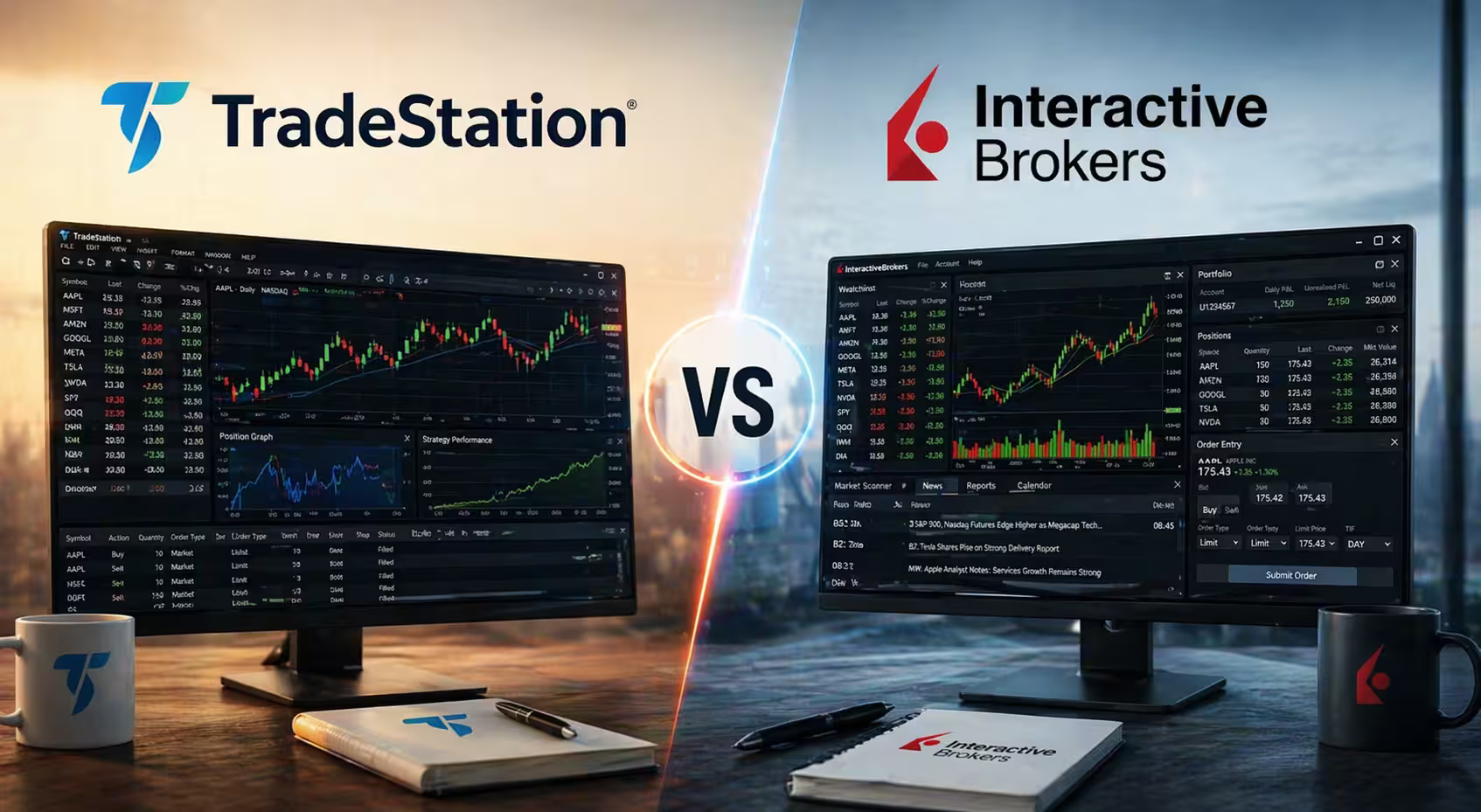
TradeStation and Interactive Brokers are excellent choices for options traders, but which is the best for your trading goals and the online trading experience you expect? This guide will compare the two platforms to determine how they are the same or differ in fees, platform features, and support for options trading strategies. It doesn’t really matter if you’re a beginner, a trader with medium knowledge or experience, or a seasoned pro—there’s a little something for everyone at TradeStation and Interactive Brokers, though they are much more suited to active and professional traders.
Broker Overview
We’ll kickstart our comparison guide between TradeStation vs. Interactive Brokers by covering the key strengths and target audience for each trading platform. These summaries will start you with the basics before we dive into the meat of trading tools, fees, market access, educational resources, and others.
Summary of TradeStation
A top-notch brokerage service, TradeStation was founded in 1982 as Omega Research Inc. it eventually morphed into the TradeStation group in 2001 when it became a publicly traded company on the Nasdaq. In 2026, TradeStation offers equity options, trading equities, and futures in over 150 markets, 27 currencies, and 34 countries.
Target Audience
TradeStation targets several kinds of traders, but they are generally traders and investors with a higher level of experience. This is not to say that beginners cannot use the platform because some decent educational tools are available. Still, those who can benefit the most from TradeStation are experienced traders, active traders, technical investors, and futures traders.
- Technical traders can enjoy various research options and technical indicators to trade with multiple asset classes.
- Futures trades will enjoy TradeStation’s over 600 futures products.
- Experienced traders and investors will appreciate TradeStations’ trading tools, account types, and competitive, low-cost investment options.
- Active traders will fit into TradeStation with their wide investment selection and dynamic trading platform.
Key Strengths
- Commission-free stock, options, and ETF trades
- Advanced trading platform for professionals and highly skilled traders
- Automation, simulation, and backtesting
- Competitive pricing
- Great order routing control
- Excellent trade execution
- Comprehensive research
- Highly active trading community
- Trading tools include OptionsStation Pro and Portfolio Maestro
- TradeStation can be customized with apps
- Gain access to IPOs and foreign equities markets
Check out our full review of TradeStation to get a more complete picture of who they are and what they offer.
Summary of Interactive Brokers
A publicly traded company on the Nasdaq and S&P 400, Interactive Brokers was founded in 1978 and has expanded to become the largest electronic trading platform in the United States! As of December 2023, they had over 2 million active clients and a total customer equity of $426 billion. Daily average revenue trades are 2,469,000, making Interactive Brokers one of the market’s most competitive online trading apps.
Target Audience
Interactive Brokers caters well to a wide range of investors, including individual investors, professional traders, and institutional investors. Its core clientele is professional and institutional investors, but it also provides direct-access trade execution and learning services to active traders.
Key Strengths
- Large investment section
- Caters to individual, professional, and institutional investors
- Good research tools
- Wide range of educational resources
- Customizable tools, research, and investment choices
- High-order execution quality
- No transaction fee mutual funds
- Commission-free ETF, stocks, and options
- Low fees and transaction costs
- Fraction shares available
- Good option for US stocks
- Hold multiple currencies and trade in foreign markets
- Great mobile experience
- Excellent web portal for individual investors
- Portfolio Builder tool
- Lite and Pro versions
- Access a free demo account
- Test strategies with the profitability lab
Looking for more details about IB? Read our Interactive Brokers review for more information.
Account Types and Minimums

What kind of accounts can you open at TradeStation and Interactive Brokers? Are there account minimums or initial deposit amounts that need to be maintained? We’ll discuss both TradeStation and Interactive Brokers regarding the account types they offer and the potential minimum balances that must be maintained.
TradeStation
- Individual Account
- Joint Accounts with Right of Survivorship
- Joint Tenants in Common
- Custodial Accounts
- Traditional IRA
- Roth IRA
- SEP IRA
- SIMPLE IRA
- Trust
- Corporation
- General Partnership
- Limited Partnership
- Limited Liability Company
- Sole Proprietorship
Minimum Balance Requirements
To start investing on TradeStation, you don’t need a minimum balance, but there are some balance requirements for certain kinds of trading and investing on the app:
- Margin Accounts: $2,000 minimum to open and maintain a position on margin
- TradeStation Go: No minimum deposit (user must pay $10 per trade on desktop app)
- Day Trading: To begin the day’s trading activities, you must maintain a minimum equity balance of $25,000.01
- Equities and Futures Options Accounts: $10 per month inactivity fee for balances below $5,000
- FuturesPlus Accounts: You must maintain an end-of-the-month equity balance of at least $2,000, or you’ll be charged a $50 annual fee
- Tiered-Commission Futures Accounts: Traders are charged a monthly account service fee of $99.95 if they don’t maintain an end-of-month equity balance of at least $100,000
Initial Deposit
TradeStation has the following initial deposit requirement to open up accounts on the platform:
- Cash Accounts: $500
- Margin Accounts: $2,000
- Future Options Contracts: $5,000 (minimum start-of-day equity balance)
- Short Stock Positions: $2,000
Interactive Brokers
- Individual Accounts
- Joint Accounts
- Trust Accounts
- IRA Accounts
- UGMA/UTMA Accounts
- Non-Professional Advisor Accounts
- Family Office Accounts
- Small Business Accounts
- Advisor Accounts
- Money Manager Accounts
- Broker and FCM Accounts
- Proprietary Trading Group Accounts
- Hedge Fund and Mutual Fund Accounts
- Compliance Officers
- Administrators
- Institutional Hedge Fund Investors
Minimum Balance Requirements
- Institutional/Organizational: $500 equity balance
- Financial Advisor: $500 equity balance
- Non-Professional Advisor: $200 equity balance
- Introducing Broker Clients: $200 equity balance
- Interactive Advisors Brokerage Account: $100 (it’s recommended to fund the account with $25,000 to avoid account locking due to pattern day trading rules)
- Day Trading: $25,000 in Net Liquidation Value
- Commissions: $10,000 deposit is required upfront
Initial Deposit
- Interactive Advisors: $100 minimum balance
- Broker Accounts: $10,000
- Day Trading: $25,000 in Net Liquidation Value
Trading Platform Features
Now, let’s compare each platform’s interface, overall user experience, customization options, and compatibility with different devices. TradeStation has a slight advantage in usability due to its more user-friendly design, while Interactive Brokers is much more suited to advanced traders (and beginners) and has several different platforms catering to each type.
TradeStation Platform
Interface and User Experience
TradeStation makes it easy to sign up for a new account and successfully navigate the website or app as a new member. Accessing real-time streaming data, creating custom watchlists, and adding technical indicators to your research is easy. The intuitive design makes getting around self-explanatory. Most users are generally satisfied with how each platform handles viewing charts, entering orders, exiting trades, and performing backtests.
Customization Options
TradeStation offers plenty of options for customizing your studies and strategies on the website or mobile app. Traders can customize study elements like alerts, inputs, style, color, scaling, and data settings. When it comes to customizing strategies, investors can make changes to inputs, calculations, and position arrows for entries or exits.
Mobile and Desktop Compatibility
TradeStation can be used on desktop computers and a wide range of mobile devices, including iOS and Android smartphones, tablets, etc. The mobile app is free to download at Google Play and the App Store, offering investors a convenient, on-the-go trading experience. There’s also the web trading version, which can be used on a mobile device or a home computer, and the desktop platform, primarily designed for Windows operating systems.
Interactive Brokers Platform
Interface and User Experience
Many investors like the Interactive Brokers platform’s intuitive nature despite occasional glitches. The web version of IB has more options for advanced traders, while the mobile app is simplified and streamlined, offering a less confusing experience for newbies or intermediate traders. The user experience is ultimately different for each kind of investor or trader due to the availability of a few different versions of IB, including TWS for advanced users and Desktop or GlobalTrader, which caters better to newcomers or users with middle-of-the-road experience.
Customization Options
IB users can build a custom layout with the Custom Layout Toolbox. They can also put together custom pages on the IBKR Desktop on the “My Layouts” page. You’ll find the Basic Trading screen here, and you can customize the layout to fit your personal preferences.
Mobile and Desktop Compatibility
There are a few methods for using Interactive Brokers:
– IBKR Desktop: This version is designed specifically for desktop computers and is available for download with Intel Processor, Windows, and Apple Silicon. Traders can access features like chart orders, watchlists, customization tools, and quick order entry.
– IBKR Mobile App: Access over 150 world markets using Interactive Brokers’ mobile app, which lets users trade on the go. It’s only available for download at Google Play, but traders can access the same market data and other tools available on the app’s desktop version.
– TWS Mosaic: This version offers investors a more customizable experience. They can gain direct access to TWS trading, live quoting, analysis tools, orders, and technical research.
Options Trading Tools
While some physical items like computers and internet access count as tools for options trading, digital tools like technical indicators, options spreads, and trading simulators can help investors determine which options, stocks, and ETFs will be most beneficial for their portfolios. Let’s compare TradeStation’s and Interactive Brokers’ options tools to discover which offers the best experience.

TradeStation
- Trade Calculators: TradeStation is good for active traders because it offers advanced trading calculators and many other trading tools, such as market news, research, and times/sales.
- Portfolio Maestro: This third-party app helps with portfolio analysis. Traders can backtest trading strategies and analyze their performance. Tradestation investors can use this tool to sidestep major trading mistakes, hone strategies, and trade picks.
- Free Market News: This tool complements Portfolio Maestro nicely. Investors and traders can use it to get free news from multiple sources to inform their trade strategy. They can also filter their searches based on stock types and individual news.
- The Charting Tool: This function is well integrated into the order entry system, and it helps traders find the best investments in real-time. It also allows them to drag or drop chart target levels directly into the charts and change timeframes. View historic price data to inform your trades with the utmost accuracy.
- VectorVest: This tool lets traders view, buy, sell, or hold ratings for various stocks and ETFs. It’s found on TradeStation’s primary website. However, a minimal fee is charged to view the information.
- Trading Idea Generator: This trading tool uses the app’s lookup criteria and filters topinpoint specific trading opportunities and help investors improve their trading approach and techniques.
- Screeners: To find the best stocks and ETFs, investors can use RadarScreen to view more than 175 fundamental or technical criteria points. There’s even a hotlist that includes any stock or ETF’s 52-week highs or lows, opening gaps, and volatility. For options, the OptionStation Pro tool creates and analyzes new strategies—the results can be added to a watch list.
- Screeners (Mutual Funds and Fixed Income): TradeStation offers customers some basic screeners for fixed-income and mutual fund trading opportunities, even though this is not their forte.
Interactive Brokers
- Trading: IB offers its customers commission-free trading in stocks, ETFs, and options. It also offers trading opportunities at international exchanges.
- Research: Access technical and fundamental analysis to inform trading decisions using Interactive Brokers’ high-end research and education tools.
- Write and Rollover Options Tool: The write option tool allows traders to write covered calls or protective puts, and the rollover option tool enables you to find out which options in your portfolio are close to expiring so you can take appropriate action.
- Variety of Order Types: IBKR users can access various order types like limits, stops, stop-limits, hedging, and volatility orders. This makes IB a good choice for newer traders and those with more experience.
- Strategy Builder: Create multi-leg options and customize a strategy that needs as much or as little automation as needed.
- Account Management: IB offers a client relationship management tool through the Broker Portal called IBKR. This tool has access to over 150 markets, automated trade execution, and low per-share pricing.
- Portfolio Performance: Investors can analyze their portfolio’s performance thanks to PortfolioAnalyst, which measures performance against critical benchmarks.
- Impact Dashboard: Use Interactive Brokers’ impact dashboard to find investment opportunities that align with your values and trading objectives. The dashboard streamlines filtering through multiple trade options.
- Fundamentals Explorer: This tool lets traders quickly access fundamental data from worldwide.
- Fraction Trading: Investors and traders can divide their investments among multiple stocks to help diversify their portfolios. It can show users how to manage their capital responsibly, correctly position each trade, and spread the risk out successfully.
- Model Marketplace: Find diverse investment strategies with the model marketplace by gaining access to pre-built modes from top-tier vendors.
Fees and Commissions
Interactive Brokers offers significantly lower commissions compared to TradeStation. This is possible due to their tiered volume-based pricing structure, which provides great deals to high-volume traders. TradeStation has slightly higher commissions, but it’s ultimately best for active traders looking for more advanced trading features. Traders and investors might also encounter higher miscellaneous fees.
TradeStation Vs. Interactive Brokers
TradeStation | Interactive Brokers | |
|---|---|---|
Stock and ETF Commissions | $0.00 | $0.00 |
Options Commissions | $0.00-0.60 per contract | $0.15-0.65 per contract |
Crypto Commissions | $0.00 | 0.12%-0.18% |
Mutual Fund Commissions | $14.95 | $0.00-14.95 |
Account Transfer Fee | $125 | $0.00 |
Account Maintenance Fee | $0.00 but charges $10 inactivity fee | $0.00 |
Options Trading Fees
TradeStation
- Options: $0.60 per option (stocks and ETFs). For index options, you’ll receive a commission of $1.00 per contract. A $1.00 per share fee applies to direct-routed option orders.
- U.S. Stocks, OTC Stocks, and ETFs: No commission for up to 10,000 shares traded if the trading price is above $1.00 per share. The commission rate is $0.005 per share for shares trading below $1 per share, OTC shares, or if more than 10,000 shares are traded (no maximum). However, there’s a minimum charge of $1.00 and a maximum charge of $50 on shares trading and OTC shares.
- Mutual Funds: $14.95 per trade (the deal is done using a broker).
- Fixed Income: It’s $50 per trade for securities and $14.95 per trade for corporate and municipal bonds (plus $5 per bond.)
- Futures: $1.50 per contract (per side for futures). It’s $0.50 per contact per side on micro-futures trading.
- Options On Futures: $1.50 per contract (per side).
Interactive Brokers
Monthly Volume | IBKR Pro-Tiered | IBKR Pro-Fixed | IBKR LIte | |
|---|---|---|---|---|
≤300,000 | USD 0.0035 | USD 0.005 | USD 0.00² | |
300,001-3,000,000 | USD 0.0020 | USD 0.005 | USD 0.002 | |
3,000,001-20,000,000 | USD 0.0015 | USD 0.005 | USD 0.00² | |
20,000,001-100,000,000 | USD 0.0010 | USD 0.005 | USD 0.00² | |
>100,000,000 | USD 0.0015 | USD 0.005 | USD 0.00² | |
Minimum Per Order (Shares) | USD 0.35 | USD 1.00 | USD 0.00³ | |
Minimum Per Order (Fractional Shares) | USD 0.01 | USD 0.01 | USD 0.00³ | |
Minimum Per Order | 1% of Trade Value4.8 | 1% of Trade Value4.8 | USD 0.00 | |
Eligibility | All | All | US Residents Only | |
Third Party Fees | – Regulatory Fees | Regulatory Fees | Regulatory Fees | |
Fractional Shares | Commissions charged for fractional share traders and whole share trades are the same unless otherwise noted | |||
Account Fees and Miscellaneous Charges
TradeStation
- Inactivity Fees: $10 per month*
- Outgoing Wire Fee: $25
- Outgoing Account Transfer Fee: $125
- Early Assignment/Early Exercises: $1.50 for each contract (with a $5.95 minimum)
*This fee applies to accounts that don’t maintain a minimum average balance of at least $5,000 over 90 days or don’t make at least ten trades during the 90 days.
Interactive Brokers
- IBKR Lite: $0 commissions
- IBKR Pro: $0.0005-0.0035 commission per share
- Trade Bust Fees: $50 for the first bust request in a calendar month and $100 for each subsequent request
- Options Regulatory Fee: $0.02675 per contract
- SEC Transaction Fee: $0.0000278 per dollar of aggregate sales
- OCC Clearing Fees: $0.02 per contract (trades of 1-2,750 contracts), $55 per contract (trades with more than 2,750 contracts)
- Minimum Fees: N/A
- Inactivity Fees: N/A
Discounts for High-Volume Traders
- TradeStation offers active traders significant savings of $0.25 per contract. To get great pricing on each option contract, active investors or traders can open a new equities account, fund it with at least $50,000, and maintain a minimum balance of $25,000.
- Interactive Brokers offers volume discounts for active traders who use IBKR Pro rather than the Lite version designed for beginners or inexperienced traders. The CBOE Frequent Trader Program gives active investors rebates on certain CBOE proprietary products. It applies to non-brokers/dealers, professional customers, and non-trading permit holders.
Market Access
“Market access” refers to investors’ and traders’ ability to trade securities on an exchange or an alternative trading system. This section will compare Interactive Brokers and TradeStation and which markets traders can access on each platform. Market access largely depends on the securities and commodities available for investing in each respective brokerage app.
TradeStation
- US Markets: TradeStation users can trade options and other securities on EDGX, EDGA, NYSE, NYSE AMEX, NYSE Arca, Nasdaq, Nasdaq BX, BATS Y, and BATS.
- European Markets: Trade European equities on TradeStation as well.
- Global Markets: TradeStation investors can access over 150 markets in 34 countries, allowing them to trade stocks, bonds, currencies, futures, and commodities like metals.
Interactive Brokers
- Stock Markets: Nasdaq, NYSE, LSE, HKSE, and nearly 100 more stock markets internationally.
- Exchange-Traded Funds: QQQ, SPY, and many others.
- Cryptocurrencies: Bitcoin, Bitcoin Cash, Litecoin, Ethereum, etc.
- Options: Options trading is available in over 150 markets (34 countries and 28 currencies).
- Currencies: Traders can access interbank quotes for global currencies directly. Interactive Brokers offers 28 currencies for trading.
- Bonds: UK Gilts, government bonds, and more.
Educational Resources and Support
Good online trading platforms provide educational tools for investors who want to improve their trading knowledge and learn new, fresh strategies to help a healthy portfolio. Plus, they need decent customer service options for traders who have questions about the website/mobile app or need assistance when problems arise during their trading sessions. TradeStation and Interactive Brokers come with both support systems, and we’ve studied and compared them to see how they stack up against one another.

TradeStation
Learning and Educational Tools
- New to Trading: Under this menu option, you can find detailed guides for stocks/EFTs, options, futures, futures options, and cryptocurrencies. You can also access a comprehensive trading glossary.
- Using TradeStation: Learn about each iteration of TradeStation under the “Using TradeStation” menu option. The platform options are TradeStation Mobile, TradeStation Web, TradeStation Desktop, OptionStation Pro, and Futures Plus.
- Getting Started: Schedule and register a time to be taught via a live webinar under the “Getting Started” menu option. Find a video archive with helpful teachings and powerful analytics tools under this section.
- Options Education: The “Options Education” section of the help center offers more educational materials focused on other elements of options trading. Here, you can learn more about topics like advanced strategic options tactics, options analysis, building trade confidence, and portfolio risk management.
- Master Class: In this section of the educational tool page, investors canaccess video content and opportunities to schedule webinars on more advanced online trading topics. Learn about technical analysis, strategy elements, and leveraging the power of Easy Language via video uploads.
- Events: Learn about upcoming events, including online series and special events. This is where you can learn more about online trading and the power of effective trading strategies.
Customer Service
- Contact Us: Access contact information for new U.S. international accounts, institutional trading, client support, and media inquiries.
- Live Chat: Talk with someone using an I.M. chat function Monday to Friday from 8 a.m. to 5 p.m. EST.
- FAQs: Use this comprehensive menu of commonly asked questions from customers and readers to troubleshoot problems. This allows you to avoid contacting someone via traditional methods like phone, email, or live chat.
- Call Me Back: Request a callback from customer service.
Interactive Brokers
Learning and Educational Tools
- Discover: Investors can find new markets and investment ideas using third-party content found using the Discover tool.
- IBKR Forum: Traders and investors at Interactive Brokers can use the forum to share ideas, post articles, compare notes on market movements, and get answers to questions in a communal space.
- Client Portal: Use this tool to manage open orders, place orders, and view your recent trades.
- TradingView: This space allows investors to learn more quickly about Interactive Brokers’ 150 global markets and what they offer, including stocks, futures, and bond trading.
- TWS Excel API: Connect Microsoft Excel to Trader Workstation to request market data, automate tasks, place orders, and view account or portfolio data.
Customer Service
- Email: There’s no direct email address, but you can contact the team via the generic contact form.
- Live Chat: Go to the Client Portal to access the live chat function, which offers speedy service.
- Community Forum: Get help from other Interactive Broker members without contacting the help center.
Phone Numbers (14 Locations)
Location | Number | Hours of Operation |
|---|---|---|
Australia | +61 (2) 7251 0088 Direct Dial | 19:30 (Sun – Thu) – 05:00 (Mon – Fri) |
Canada | +1 (877) 745-4222 Toll-Free | 08:00 – 17:30 (Mon – Fri) |
Canada | +1 (877) 745-4222 Toll-Free | 11:00 – 20:30 (Mon – Fri) |
China | +86 (21) 6086 8586 Direct dial | 21:00 (Sun – Thu) – 06:00 (Mon – Fri) |
Europe | 00800-42-276537 Toll-Free | 03:00 – 12:00 (Mon – Fri) |
Hong Kong | +852-3107-8333 Direct dial | 20:00 (Sun – Thu) – 05:00 (Mon – Fri) |
Hungary | +36 80 088 400 Toll-Free | 03:00 – 12:00 (Mon – Fri) |
India | +91 22 61289888 Direct dial | 20:30 (Sun – Thu) – 08:00 (Mon – Fri) |
Ireland | +353 1 264 0643 Direct dial | 03:00 – 12:00 (Mon – Fri) |
Japan | +81 (3) 4590 0707 Direct dial | 19:30 (Sun – Thu) – 04:30 (Mon – Fri) |
Russia | 8-800-100-8556 Toll-Free | 02:00 – 11:00 (Mon – Fri) |
Singapore | +65 6990 5200 General | 20:00 (Sun – Thu) – 05:00 (Mon – Fri) |
United Kingdom | +44 20 3744 7220 Direct dial | 03:00 – 12:00 (Mon – Fri) |
United States | +1 (877) 442-2757 Toll-Free | 08:00 – 20:00 (Mon – Fri) |
Trading Experience and User Reviews
Let’s examine what current or former traders think about these brokerage apps. We consulted Trustpilot to find feedback from users on Trade Station and Interactive Brokers. This section of our guide will also focus on the community features and forums these platforms offer, which allow traders to connect with each other to share ideas or trading strategies.
Trader Sentiment Toward Ease of Use
TradeStation
Trustpilot Review—Dated 05/03/24“I was a TS user over ten years ago. Opened account a month ago and have been so pleasantly surprised by the platform. It has absolutely everything a trader needs. I have TOS and Tastytrade accounts, may keep TOS for redundancy purposes. TS is just at another level, again for active traders. Execution options and trade management options are very robust. OptionStation Pro is also a simple yet powerful options trading platform. I have not yet opened a Futures account but so far I think EdgeClear is just unrivaled coupled with MotionWave platform.”
–Dennis Goetz
Trustpilot Review—Dated 12/21/23“Tradestation has so many powerful tools that regardless the way I want to trade, there is a way to optimize that strategy in TradeStation. I do swing options, wheel options, credit spreads, active day trading and with the radar screen I am able to set up detailed, dynamic watchlists to track all manner of stats regarding my trade for that strategy. It’s awesome.”
–Valued Customer
Trustpilot Review—Dated 12/21/23“I love the platform. My trades are lightning fast. Its relatively easy to use and set up. A few you tube videos were really helpful with that. One constructive critisism. If I buy more than two stocks a day even if I didn’t sell them I can’t buy a third. I may have no day trades and it still will not let me. I am thankful you are keeping me safe from PDT but I also know what I can and can’t do. It would be nice if I can buy all the stocks I want in a day period. As long as im not selling well then im not close to PDT.”
–Collin
Interactive Brokers
Trustpilot Review—Dated 10/21/24“Super easy to use – excellent summary tables – low cost
Buying shares, ETFs is super easy. The summary tables of one’s performance are fantastic. You can see immediately where you win and lose money and your IRR compared to several indexes. You can buy a very wide variety of financial instruments. Fees are very reasonable. Once you test IBKR, you close all your share accounts in traditional commercial banks for individuals.”
–Bernard C.
Trustpilot Review—Dated 10/02/24Excellent brokerage for savvy investors, traders and users. Commissions are not the lowest especially for option contracts; however, executions will typically be better than at the competition and this will more than make up for the slightly higher commissions. Website and App is almost never down, another improvement over the competition. Statements are accurate, fees are reasonable.”
–DR1
Trustpilot Review—Dated 05/19/24“Interactive Brokers gives an investor all tools to increase your net worth
For an active trader, especially an option trader IB is 99.5% hands down the best platform, considering overall costs, -esp margin costs. The platform may take a little getting use to, but you will be operating smoothly fairly quickly. Informative videos are available on many topics, strategies, etc The only reason I didn’t give 100% bc I can’t say I have had experience with all, but I have had accounts with all the large platforms and IB beats them all, there may be a smaller player I haven’t had experience with, but the very solid financial strength is a factor also. Happy trading!”
–JRJR
Community and Resources
TradeStation
- Use the TradeStation Community to discuss trade strategies, share advice and tips, or ask questions.
- The Support and Discussion Forums can be used to talk with other traders or investors to get answers to important questions without contacting the customer support center.
Interactive Brokers
- The IBKR Forum promotes conversations between IBKR customers, where they can post ideas, articles, or observations on options trading.
Pros and Cons Summary
What are the primary strengths and weaknesses of using TradeStation or Interactive Brokers? Check out the summary below to learn these brokerage apps’ key pros and cons.
TradeStation
Pros
- Commission-free stock, options, and ETF trades
- Advanced trading platform for pro and highly skilled traders
- Automation, simulation, and backtesting
- Competitive pricing
- Great order routing control
- Excellent trade execution
- Comprehensive research
- Highly active trading community
- Trading tools include OptionsStation Pro and Portfolio Maestro
- TradeStation can be customized with apps
- Gain access to IPOs and foreign equities markets
Cons
- No transaction-fee-free mutual funds
- $2,000 minimum deposit on free trades (desktop application)
- Low interest rates on uninvested cash
- Membership plans and pricing can be confusing
- No fractional shares
- The account fees are higher than the average
- It can be difficult for new traders to get started
- The returns on excess cash aren’t that great
- Spotty customer service
- Receives payment for order flow
- Trading commissions on mutual funds and bonds
Interactive Brokers
Pros
- Large investment section
- Caters to individual, professional, and institutional investors
- Good research tools
- Wide range of educational resources
- Customizable tools, research, and investment choices
- High-order execution quality
- No transaction fee mutual funds
- Commission-free ETF, stocks, and options
- Low fees and transaction costs
- Fraction shares available
- Good option for US stocks
- Hold multiple currencies and trade in foreign markets
- Great mobile experience
- Excellent web portal for individual investors
- Portfolio Builder tool
- Lite and Pro versions
- Access a free demo account
- Test strategies with the profitability lab
Cons
- High minimum to earn interest on uninvested cash
- The site can be challenging to navigate for new users or beginners
- The pricing can be confusing
- User must figure out taxes on their own
Who Should Choose Which Broker?
If you’re trying to figure out which of these brokerage apps is best for your trading or investment goals, we’ve boiled everything down to the critical points of each platform and the kind of traders they best serve.
- TradeStation: Best for traders who prioritize customization and advanced tools.
- Interactive Brokers: Best for traders focused on low-cost trades and global market access.
Choosing between TradeStation and Interactive Brokers hinges on what kind of trader you are and your investment goals and objectives. If you’re a more budget-conscious trader, you might lean toward Interactive Brokers, but those who are tech-focused in their trading experience prefer TradeStation. That’s really what it comes down to, but we’d encourage you to review this guide for more insight to inform your decision!
If you’re looking for more detailed information about one of these brokers or others, please be sure to look at all of our broker reviews.