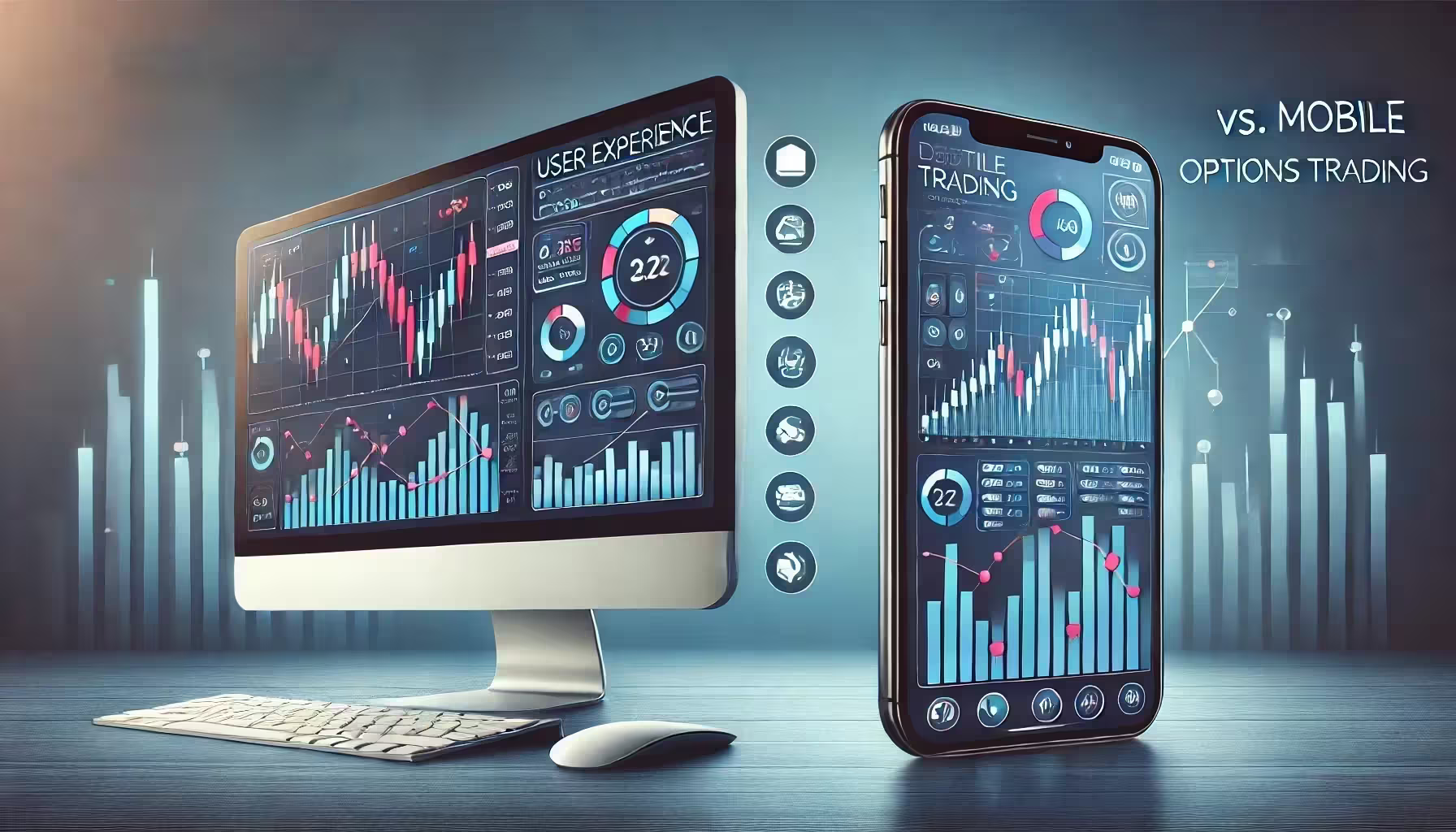
Options trading has come a long way from the days of chaotic trading pits and offices where everyone is shouting on phone calls. You’ve seen the movie Wall Street, right? Or The Wolf of Wall Street? Yes, the crazy stock market floor and men in suits yelling down the line still exist, but it’s not the only way—now, you can do it on your phone or computer. Yes, you can trade on a mobile app or on a desktop! Trading platforms did the smart thing and got in on the mobile trend so that you don’t have to be sitting in front of a computer to make moves.
And that appeals to a ton of people, so mobile trading apps have been a hit! It’s super convenient, but how does it compare to trading from a desktop?
We want to find out how they stack up against one another when compared side by side! We’ll go over all of the differences between desktop vs. mobile options trading. There’s really no “better” option; it all depends on what you want and your trading style, so you can pick the best one for your needs.
Desktop Trading Experience
Desktop computers have pretty much been the go-to for options trading, as they have a much more detailed layout and give users better control—mobile platforms are still playing catch-up!
Main Advantages of Desktop Trading
Trading on a desktop gives users a host of features and conveniences that make it the number one choice for many, especially if you want precision and customization.
- Screen Size and Multiple Windows: With a larger screen, desktops let traders monitor everything from charts to live news feeds without switching views.
- Advanced Analysis Tools: Desktops usually come packed with powerful analysis tools, making it super easy to get into really detailed charting and technical data.
- Customizable Layouts: For traders who like things just so, desktops let you set up dashboards and layouts suited to your style.
- Stability and Reliability: Desktops bring a stable trading experience, as they are backed by stronger processing power and steady internet connections.
Disadvantages of Desktop Trading
Desktops definitely have their strengths, but they also have some areas where they fall short, especially in terms of flexibility and ease of use for beginners.
- Lack of Mobility: A desktop setup locks you into a single location, which isn’t great if you want to trade whenever you are.
- Complexity for New Users: All those tools and options can make desktop platforms seem like there are too many options for new traders who are looking for a simple way to trade.
- Hardware Requirements: To really get the most out of desktop trading, you need to have a pretty powerful computer, especially when you will be working with multiple tools at once.

Mobile Trading Experience
Now that smartphones are handling a lot of the tasks we once depended on desktops to do, mobile trading has slotted nicely into a void for traders who want more flexibility. The apps have exploded in popularity—users are able to stay connected to the markets wherever they are, and there is no need for a full setup!
Main Advantages of Mobile Trading
Mobile trading apps come with a wealth of benefits, making them a perfect option for those who want or need quick access to markets without the whole desktop setup.
- Portability and Convenience: With a mobile app, trading becomes possible from wherever you may be so that users have the freedom to make trades whenever the opportunity strikes.
- Real-Time Notifications: Push notifications give traders instant alerts on market shifts or account updates so they don’t miss out on any important changes.
- User-Friendly Interfaces: Mobile apps are designed with simplicity in mind, and that means smooth navigation that works for traders at any level of experience.
- Lower Hardware Requirements: Most smartphones and tablets are able to handle mobile trading, so it eliminates the requirement for high-performance equipment.
Disadvantages of Mobile Trading
Yes, mobile trading opens up all kinds of possibilities for those who want to trade while on the move, but it does have certain limitations compared to its desktop platform counterparts!
- Limited Screen Space: Smaller screens mean there’s way less room for viewing multiple charts and tools, which can make detailed analysis a little bit challenging.
- Fewer Advanced Features: Most mobile apps don’t include the full suite of charting and analysis tools that are available on a desktop, and that might restrict more technical trading.
- Network Dependence: Mobile trading relies on cell or Wi-Fi networks, and we know that those aren’t always consistent, especially in areas with weaker signals, which could affect trade timing.
Feature-by-Feature Desktop vs. Mobile Options Trading Comparison
Your chosen option trading platform can make a big difference in how you interact with markets! Desktop and mobile platforms both have their own strengths, and each works differently depending on the trader’s needs and style. Below, we’ll look at how each platform measures up across the most important features like charting, order types, and security.
Charting and Technical Analysis Tools
Charting and analysis tools are a foundational part of any options trader’s setup, as they give you the insights you need to make decisions with confidence, and desktop and mobile platforms have different approaches to these tools.
Desktop Platforms
Desktop platforms are designed to give traders everything they need for in-depth analysis. The larger screens give traders plenty of room for multiple charts—they can use technical indicators, overlays, and customizations that make each trader’s setup their own. It’s easy to analyze trends and adjust studies, and that builds a solid environment for detailed examination.
Mobile Platforms
Mobile apps have made big strides in the past few years in bringing charting tools to smaller screens. While mobile versions generally include the basics, they’re usually more streamlined and focus on important indicators and simpler layouts. The limited screen space restricts the number of visible charts, and customization options tend to be less flexible, which is good for quick checks but can limit a more detailed analysis.
Order Types and Execution Speed
Order types and the speed of execution can make or break a trading experience, especially in the world of fast-moving markets. Desktop and mobile platforms handle these elements differently:
Desktop Platforms
Desktops typically support a full range of order types, including complex setups like conditional orders and multi-leg strategies, giving traders the flexibility to execute their strategy as needed. Execution speed is usually optimized with stable internet connections and powerful processing, which can make a critical difference when timing is key.
Mobile Platforms
Order types are usually more limited on mobile, focusing on straightforward options that make the platform easier to navigate. While most apps handle standard order types, advanced options may be absent to keep things user-friendly. Execution speed on mobile can vary based on network strength, and mobile connections aren’t always as reliable, which could impact speed during peak times.
Account and Portfolio Management
Diligently tracking accounts and portfolios is a central part of trading, from monitoring holdings to tracking performance, and desktops and mobile apps each have different strengths in this area.
Desktop Platforms
Managing portfolios on desktops is typically more straightforward, as the interface allows for a detailed view of holdings, historical performance, and transaction history. The expanded screen space makes navigating through account summaries, performance metrics, and financial data easy, giving traders a more complete picture of their accounts.
Mobile Platforms
Mobile platforms cover the basics of account management, perfect for checking balances or making small adjustments on the fly. However, the smaller interface can limit the depth of analysis and the ease of viewing complex data. Performance tracking on mobile is often condensed into summary views, making it way less detailed than the desktop experience but convenient for quick updates.
Customization Options
A personalized workspace can make a world of difference for traders who want their platform to match their own trading style and needs. Desktop and mobile platforms handle customization like this:
Desktop Platforms
Desktops really shine in the customization department, letting users arrange their screens and tools just how they like. Many platforms offer options for custom dashboards, adjustable layouts, and personalized alerts, making it easy to create a trading environment that feels tailored to each trader’s strategies and preferences.
Mobile Platforms
Mobile customization is typically more limited, as screens and design constraints restrict flexibility. While some mobile apps offer basic customization like alert settings or minimal layout adjustments, they usually can’t match the level of personalization that desktops provide. Mobile platforms focus on simplicity, prioritizing a user-friendly interface over extensive layout options.
Notifications and Alerts
Staying informed and in the loop about any and all market changes and account activities is a must for active traders. Both desktop and mobile platforms deliver notifications, but each does so in a way that suits its own format.
Desktop Platforms
On desktop, notifications might come through as pop-ups, sound alerts, or emails, effective when traders actively use the platform. These alerts work well for those who spend long hours at their computer, but they may go unnoticed if a trader steps away, limiting their usefulness for real-time monitoring.
Mobile Platforms
Mobile apps send push notifications directly to the user’s device, which can be especially valuable when trading on the go. These instant alerts give real-time updates on market shifts or account activity so traders can stay informed even if they’re not actively using the app. This feature enhances the mobile platform’s flexibility, making it easier to react quickly.
Security Features
Security is a big priority in trading—account access and transactions must be protected against breaches, and desktop and mobile platforms apply different security measures that are based on their device capabilities.
Desktop Platforms
Security on desktop platforms often involves two-factor authentication (2FA), encryption, and secure login protocols, offering a strong level of protection. Security measures depend on the platform and user practices, with additional options sometimes available for extra safeguarding, but they generally rely on a password and, potentially, an additional layer like 2FA.
Mobile Platforms
Mobile platforms utilize unique security features, like biometric authentication (fingerprint or facial recognition), which add an additional layer of protection tailored to mobile devices. Combined with device-specific safeguards, these measures can increase the security level for traders, offering a convenient and secure way to log in and manage accounts directly on their smartphones or tablets.
User Profiles: Who Benefits from Desktop vs. Mobile?
Different setups work for different people! It doesn’t matter if you’re a trading newbie, an experienced day trader, or someone who just dabbles in trading from time to time—picking between a desktop and a mobile trading platform comes down to finding what works best for you. Below, we break down which platform will work for each type of trader.
Beginners
If you are a beginner, the platform choice can make a huge difference in how quickly you get comfy with trading. A simple, supportive environment will ease you into the learning process, and an overly complex setup will most likely overwhelm someone just starting out.
Desktop Platforms | Mobile Platforms |
|---|---|
Desktop trading platforms always have an impressive learning toolkit. Most platforms integrate detailed resources—like tutorials, webinars, and even interactive guides. Beginners can take their time looking around and getting to know the resources without feeling rushed, and the large screen makes it easier to navigate all the information without getting lost. The downside? All of those features might feel like an info overload. Desktop platforms are designed to be powerful and comprehensive, so for beginners, it could feel like they’re being immersed in an advanced world. | Mobile apps, on the other hand, usually come with simplicity in mind, which is a win for newbs. Mobile trading apps are designed to get people trading quickly without the intimidation factor. With streamlined features, new traders can concentrate on the basics—buying, selling, and tracking prices—without being distracted by a flood of extra tools. Most mobile apps come with step-by-step tutorials or built-in customer support chats, so it’s easy for a beginner to ask questions without having to exit the app. Mobile platforms might be the friendlier and way less overwhelming choice for someone just starting out. |
Active Day Traders
Day traders are the ones who need to keep everything moving, and their platform has gotta keep up with them! Trading isn’t a casual hobby; it’s a job where every second counts, so the platform they use has to support that kind of intensity.
Desktop Platforms | Mobile Platforms |
|---|---|
Desktops are a favorite among day traders, and for good reason. The large screens allow them to use multiple monitors to track several data points simultaneously—charts, news feeds, order books, you name it. Desktop platforms come packed with advanced charting tools and technical indicators that help day traders analyze quick market shifts and act in the moment. And because desktops generally connect through a stable, high-speed internet connection and have strong processing power, trades go through with minimal lag. That stability is a must for day traders who can’t afford any delays when executing orders. In short, desktop platforms give day traders the power and precision they need to make fast decisions confidently. | While mobile apps are getting better all the time, they still don’t match what a desktop setup does for day trading. Mobile screens are smaller, which makes it hard to see everything a day trader might need at a glance. Advanced features are usually pared down or omitted entirely on a mobile app, so day traders could very well miss out on some of the analysis tools they rely on. And since mobile trading depends on Wi-Fi or cellular networks, there’s always the chance of a dropped connection or slow loading times, which is super risky during fast market moves. Mobile is great for staying connected while you’re out and about, but most active day traders prefer the reliability and depth of a desktop setup. |
Casual or On-the-Go Traders
Then there are those who don’t want or need all of the bells and whistles—they just want a flexible platform to trade whenever and wherever it’s convenient for them. For occasional traders or if you just like to check in on things when you’re not at home, mobile trading has opened up possibilities that desktop platforms just can’t compare to.
Desktop Platforms | Mobile Platforms |
|---|---|
Desktop trading platforms are great when you’re settled in one place, ready to analyze in depth. However, for traders who want the freedom to trade from anywhere, desktops simply can’t compete with mobile. A desktop setup ties you to a single location, so if flexibility is a priority, desktop trading may not feel like the best fit. Still, for those who don’t mind a dedicated trading spot, desktops offer a stable, feature-rich experience that’s hard to beat. | Mobile platforms really shine here, offering a level of flexibility that fits the lifestyle of casual or on-the-go traders. With a mobile app, you can check the market while waiting in line, make quick trades from the couch, or even handle an urgent market shift while you’re walking the dog. Mobile apps are designed for ease of use, allowing traders to jump in and out quickly without getting bogged down by advanced features. Real-time push notifications keep traders updated on market movements, and the intuitive layout means less time spent searching for the basics. Mobile offers the best of both worlds for casual traders: freedom and function. |
Practical Tips for Improving User Experience on Each Platform
Trading platforms have exceeded our expectations, but it’s never a bad idea to hone your setup so you can get the most out of whatever platform you do end up using! Look below for practical tips on how to improve your trading experience.

For Desktop Traders
- Optimize Screen Space and Multiple Monitors: Managing multiple monitors can elevate your desktop trading experience, giving you an all-in-one view that keeps you in control. Use extra screens to monitor charts, news, and data feeds simultaneously, reducing screen switching and helping you make quicker, better-informed decisions.
- Utilize Hotkeys and Shortcuts: Learning a few hotkeys can save you valuable seconds when every moment counts. Most platforms have customizable shortcuts that let you perform actions like opening trades or accessing tools at lightning speed—perfect for fast-paced trading environments.
- Customize Your Workspace: Setting up your workspace to match your trading style can make a big difference in focus and ease of use. Arrange charts, data panels, and tools to suit your needs, then save the layout so you’re ready to go each time you log in.
- Regularly Update Your Hardware and Software: Staying updated keeps your system running smoothly and protects you from unexpected glitches. With the latest hardware and software, you’ll get better performance and fewer interruptions in critical moments.
For Mobile Traders
- Set Up Real-Time Alerts: Push notifications can be a game-changer for mobile traders. Stay informed with alerts on price movements, account changes, or news—giving you the power to respond quickly, wherever you are.
- Save and Sync Layouts Across Devices: Syncing layouts between devices ensures a seamless experience and lets you switch from desktop to mobile without missing a beat. Save your preferred settings to keep everything familiar and efficient on both platforms.
- Enable Offline Features: All mobile trading apps let you download watchlists or research for offline access, so you’re never out of touch with the market. This feature is super handy in low-service areas where connections might drop.
- Ensure Device Security: A secure device means safer trading. Use strong passwords and biometrics, and be super cautious with public Wi-Fi. It’s worth taking those extra steps to protect your accounts on mobile.
Summary Table: Desktop vs. Mobile Experience
Table time! Look below for a side-by-side comparison that summarizes the pros and cons of each platform across the main features:
Feature | Desktop Trading | Mobile Trading |
|---|---|---|
Screen Space | Large screens allow multiple charts, data views, and tools side-by-side for in-depth analysis | Limited screen space, best for quick checks; challenging for detailed, multi-chart setups |
Charting & Analysis | Advanced charting tools, technical indicators, and customization options; ideal for complex analysis | Basic charting options with fewer technical tools; best for quick assessments rather than deep analysis |
Order Types | Full range of order types, including advanced options for complex strategies | Usually limited to standard order types to keep the interface simple and quick to use |
Execution Speed | Stable and fast, thanks to strong processing power and steady internet connection | Varies; depends on the mobile network; can lag in areas with poor connection |
Customization | Highly customizable layouts, allowing traders to arrange screens and tools to suit their workflow | Limited customization, focusing on simple, user-friendly layouts that are easy to navigate on a smaller screen |
Account Management | Detailed account and portfolio views with easy access to performance metrics and transaction history | Condensed account summaries, suitable for quick updates but limited for full portfolio analysis |
Notifications & Alerts | Desktop pop-ups, sound alerts, and emails work well when at the computer but are missed if away | Real-time push notifications directly to mobile; convenient for monitoring markets on the go |
Security | Two-factor authentication, encryption, and secure logins; depends on platform settings | Extra mobile security features like biometrics (fingerprint, face ID) for quick, secure access |
Best For | Traders seeking in-depth tools, complex features, and a stable environment for detailed work | On-the-go traders, casual users, or those needing real-time updates without staying at a fixed location |
Conclusion
Ultimately, choosing between a desktop or a mobile trading platform will come down to your own personal preference, your trading style, and what you need in terms of flexibility. There’s no wrong answer; only what will work best for you and your options trading game!
Here’s a brief recap of the strengths and weaknesses of each one:
- Desktop Strengths: Large screen space, advanced analysis tools, full order types, and a stable setup for detailed trading.
- Desktop Weaknesses: Fixed location, limited flexibility, and can be overwhelming for beginners.
- Mobile Strengths: On-the-go convenience, real-time alerts, user-friendly design, and extra security with biometrics.
- Mobile Weaknesses: Limited screen space, fewer advanced tools, and reliance on mobile network stability.
For some traders, a desktop’s in-depth tools and stability is the main appeal, but others might want the flexibility and portability that is mobile trading. In our opinion, using both platforms is never a bad move—it gives you the best of both worlds—desktop for a deeper analysis and mobile for any quick check-ins and real-time updates!